
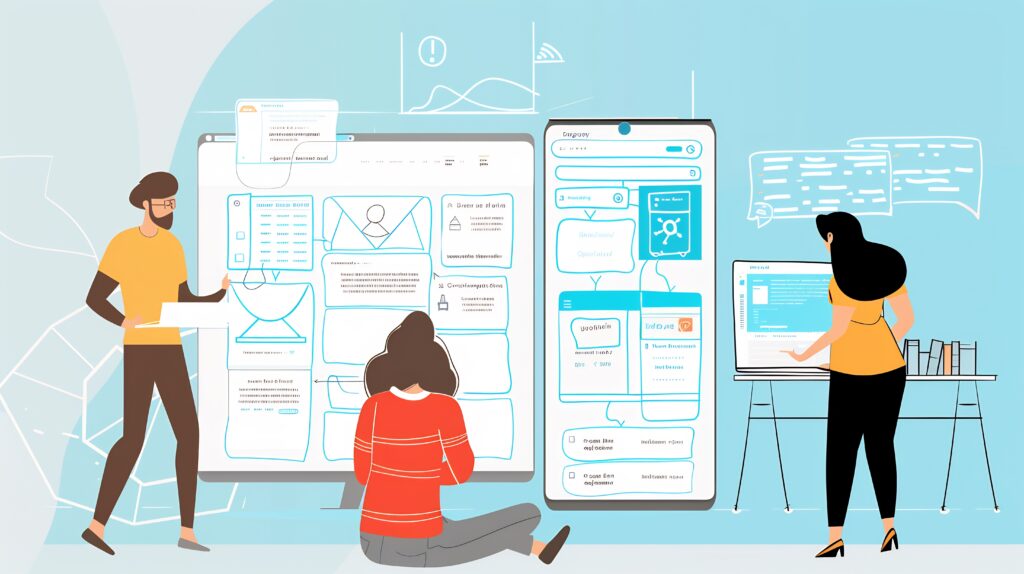
Introduction to Usability Testing
Usability testing is a technique used in user-centered interaction design to evaluate a product or service by testing it with real users. This type of testing typically involves observing users as they attempt to complete tasks and can be conducted on websites, applications, and a variety of other products. The main goal is to identify any usability problems, gather qualitative and quantitative data and gauge the participant’s satisfaction with the product. Not only does usability testing help to validate design concepts and prototypes, but it also provides real user feedback that ensures the final product is both effective and user-friendly.
How Usability Tests are Used in Communication
Improving User Interfaces:
- Usability tests help designers and developers understand the interactions between the user and the product. Insights from testing guide the enhancement of the user interface (UI) and user experience (UX) design, ensuring that communications via the product are clear and effective.
Enhancing User Engagement and Satisfaction:
- By identifying and removing barriers to usability, products become more enjoyable and easier to use. This not only improves user engagement but also increases overall user satisfaction, which is crucial for maintaining customer loyalty and positive word-of-mouth communication.
Optimizing Communication Strategies:
- For websites and apps, how information is presented and accessed can greatly affect how messages are received and understood. Usability testing helps optimize these elements to ensure that the intended message is clearly communicated to the user.
How to Conduct a Usability Test for Research
Step 1: Define Your Objectives
Clear Goals:
Before starting, clarify exactly what you want to learn from the test. Your objectives will shape your tasks, participants, and analysis.
- Example 1: If your goal is to identify design flaws, you might focus on whether users can find the navigation menu or if they get stuck on confusing buttons.
- Example 2: If your goal is to test a specific functionality (e.g., a new checkout flow), you’d design tasks around completing a purchase.
- Example 3: If you want to understand user behavior, you could observe how users naturally interact with your homepage without being told where to click.
Tip: Write down your objectives as measurable questions (e.g., “Can users successfully complete a purchase in under 3 minutes?”).
Step 2: Develop a Test Plan
Choose a Testing Method:
- Moderated tests: A facilitator guides the participant, asks clarifying questions, and encourages think-aloud comments.
- Unmoderated tests: Participants complete tasks independently using testing platforms like UserTesting or Maze.
- Remote tests: Conducted over Zoom or similar tools, allowing screen and voice recording.
- In-person tests: Conducted in a lab, office, or natural setting.
Example: If you want deep insights into decision-making, choose a moderated test so you can probe further. If you want quick results at scale, an unmoderated online test may be better.
Select Tasks for Users to Perform:
Tasks should be realistic and tied to your objectives.
- Example tasks for an e-commerce site:
- Find and compare two different laptop models.
- Add a laptop to your cart and proceed to checkout.
- Locate customer support contact information.
Tip: Phrase tasks as scenarios instead of instructions (“You need a lightweight laptop for traveling. Find one and check the price”). This mimics real-world use.
Step 3: Recruit Participants
Target User Group:
Select participants who represent your actual users, when possible. (While representative audiences are ideal, testing with anyone is typically better than testing with no one.)
- Example: If your app is designed for college students, avoid testing only with professionals in their 40s.
- Sample size: 5–10 participants per user group is often enough to uncover the majority of usability issues.
Tip: Create a screening survey to ensure participants fit your target demographic (e.g., shopping online at least twice a month).
Step 4: Conduct the Test
Prepare Test Environment:
- In-person: Quiet room, working laptop/mobile device, screen/audio recorder ready.
- Remote: Ensure participants know how to share their screens and test the recording tools beforehand.
Run the Test Sessions:
- Begin with a warm-up: Ask participants about their general experiences with similar tools to ease them into the session.
- Introduce the think-aloud protocol: Encourage participants to verbalize their thoughts while completing tasks.
- Example prompts:
- “Tell me what you’re thinking as you click through this page.”
- “What do you expect to happen when you press that button?”
- Example prompts:
- If moderated, guide gently. Don’t lead them to the “right” path—your role is to observe, not train.
Step 5: Collect Data
Gather Feedback Through Multiple Channels:
- Behavioral data: Task success/failure, time on task, number of errors.
- Verbal data (think-aloud): Insights into what users expect and how they interpret the interface.
- Physiological data (optional): Eye-tracking, facial expressions, mouse tracking.
- Self-reported data: Post-test questionnaires (e.g., System Usability Scale), short interviews.
Example: A participant says, “I expected the shopping cart icon to be at the top right, but I can’t find it.” This think-aloud statement reveals both a design flaw and a mental model mismatch.
Step 6: Analyze Results
Data Analysis:
- Look for patterns in where multiple users struggled.
- Compare expected vs. actual user paths.
- Prioritize issues by severity:
- Critical: Users cannot complete checkout.
- Major: Users repeatedly overlook a navigation menu.
- Minor: Users pause slightly longer than expected on a label.
Example: If 6 out of 8 participants verbalize confusion about your search filter labels, that signals a major usability problem.
Step 7: Report Findings and Recommendations
Document Findings Clearly:
Your report should be more than raw notes—it should tell a story.
Include:
- Problem description: “Users struggled to locate the customer support link.”
- Evidence: Direct quotes (“I don’t see where to get help”) or video clips.
- Impact: Severity rating (e.g., high—prevents task completion).
- Recommendation: “Move support link to the top navigation bar.”
Example format:
Issue: Checkout button not visible above the fold.
Evidence: 4 of 5 participants scrolled up and down searching for it.
Recommendation: Relocate button higher on the page and use contrasting color.
Step 8: Iterate and Refine
Iterative Design:
Usability testing is not one-and-done—it’s cyclical.
- Apply findings, redesign, and test again with new participants.
- Use the same tasks in repeated tests to check if improvements worked.
- As you refine, test more nuanced aspects like efficiency and satisfaction.
Example: After moving the checkout button, rerun the same task. If all participants now find it immediately, you’ve validated your fix.
By adding think-aloud protocols throughout, you gain not just behavioral data (what users did) but also cognitive data (why they did it), giving you a fuller picture of usability issues.
*Content on this page was curated and edited by expert humans with the creative assistance of AI.