Skip to content
The Comm Spot The Comm Spot

It's All About Communication

  • HOME
  • ABOUT
    • Meet the Creator: Curtis Newbold, PhD
    • Hire Curtis
    • Publish with Us
    • Contact
    • Privacy Notice
  • COMM-BASICS
    • Glossary
    • Citation & Style Guides
      • AP Style (Journalism)
        • AP Style Overview
        • AP Style Guidelines
        • Media Ethics – SPJ Code of Ethics
        • Elements of Newsworthiness
      • APA Style
        • APA Format – Overview
        • APA - References Guidelines
        • APA - In-text Citations
        • APA - Citing Authors
        • APA - Audiovisual Media
        • APA - Books
        • APA - Digital Sources
        • APA - Events & Interactions
        • APA - Periodicals
        • APA - Print Sources (other than books)
      • Chicago Style
        • Chicago – Overview
        • Chicago - Author-Date System
        • Chicago - Notes-Bibliography System
        • Chicago - In-text Citations
        • Chicago Style - Citing Authors
        • Chicago - Audiovisual Media
        • Chicago - Books
        • Chicago - Digital Sources
        • Chicago - Events and Interactions
        • Chicago - Citing Periodicals
        • Chicago - Print Sources (other than books)
      • MLA Style
        • MLA Overview
        • MLA Works Cited Pages
        • MLA In-text Citations
        • MLA – Authors
        • MLA – Audiovisual Media
        • MLA – Books
        • MLA – Digital Sources
        • MLA – Events & Interactions
        • MLA – Periodicals
        • MLA – Print Sources (other than books)
    • Rhetoric
      • Overview of Rhetoric
      • Rhetorical Appeals (Rhetorical Triangle)
      • Branches of Oratory
      • Canons of Rhetoric
      • Rhetorical Devices
      • Kairos
      • Topos
      • Key Figures in Rhetoric
    • Research Methods
      • Case Studies
      • Competitor Analysis
      • Content Analysis
      • Discourse Analysis
      • Ethnography
      • Focus Groups
      • Observation Research
      • S.W.O.T. Analysis
      • Secondary Research
      • Surveys
      • Target Market Analysis
      • Usability Testing
      • Visual Analysis
    • Theories
    • Thinkers
  • COMM-SUBJECTS
    • Interpersonal Communication
      • Active Listening
      • Body Language
      • Conflict Management
      • Emotional Intelligence
        • Emotional Intelligence Overview
        • Self-Awareness
        • Self-Regulation
        • Motivation
        • Empathy
        • Social Skills
        • Emotional Intelligence Resources
      • Feedback
      • Negotiation
        • Overview of Negotiation
        • Negotiation Skills
        • Negotiation Strategies & Techniques
        • Stages of Negotiation
        • Common Negotiation Scenarios
        • Negotiation Case Studies & Examples
        • Negotiation Tools & Resources
        • Negotiation FAQ
    • Journalism
    • Public Speaking
      • General Guidelines
      • Overcoming Fear
      • Speech Writing and Organization
      • Delivery Techniques
      • Body Language
      • Audience Engagement
      • Storytelling
      • Designing Slides
      • P.O.W.E.R.F.U.L. Presentation Method
    • Strategic Communication
      • Business & Org Comm
        • Definition & History
        • Org Comm Theories
        • Business Documents
        • Change Management
        • Employee Relations
        • Employment Communication
        • Group & Team Communication
        • Leadership Communication
        • Power, Identity, & Ethics at Work
        • Project Management
      • Integrated Marketing Comm
        • Definition of IMC
        • Core Principles of IMC
        • IMC Planning
        • Audience Segmentation
        • Marketing Channels
        • Message Strategies
        • Campaign Measurement & Evaluation
        • Trends & Innovations in IMC
        • Challenges & Pitfalls in IMC
        • Careers & Roles in IMC
      • Public Relations
        • Foundations in PR
        • Strategic Practice
        • Tools & Tactics
        • Research & Analysis
        • Professional Development
      • Case Studies in Strat Comm
    • Technical & Scientific Communication
    • Visual Communication
      • Data Visualization
      • Information Design
      • Photography
      • Web Design
    • Written Communication
      • Writing Process
      • Organizational Methods
        • Five Paragraph Essay
        • Hourglass Method of Writing
        • IMRaD Format (Science)
        • Indirect Method (Bad News)
        • Inverted Pyramid (Journalism)
        • Martini Glass
        • Narrative Format
        • Proposal Format
        • Rogerian Method
        • Toulmin Method
      • Plain Language
        • Audience (Plain Language)
        • Organization (Plain Language)
        • Conversation (Plain Language)
        • Simplicity (Plain Language)
        • Word Choice (Plain Language)
        • Sentence Structure (Plain Language)
        • Design (Plain Language)
      • Punctuation
        • Apostrophes
        • Brackets
        • Colons
        • Commas
        • Ellipses
        • Em Dashes
        • En Dashes
        • Exclamation Marks
        • Hyphens
        • Parentheses
        • Periods
        • Question Marks
        • Quotation Marks
        • Semicolons
      • Style
        • Clarity
        • Conciseness
        • Consistency
        • Editing
        • Flow
        • Rhetorical Devices
        • Sentence Structure
        • Storytelling
        • Tone
        • Voice
        • Word Choice
  • RESOURCES
    • Teaching Resources
      • Assignments & Activities
      • Instructional Design
      • Pedagogies
  • BLOGS
    • The Spotlight Blog
    • Comm Sparks
  • SHOP
    • Cart
    • Checkout
0
The Comm Spot
The Comm Spot

It's All About Communication

Waterfall Chart – Data Visualization

Home >COMM-Subjects >Visual Communication >Data Visualization >Types of Data Visualizations (Charts and Graphs) >Waterfall Chart – Data Visualization

Waterfall Chart: How to Show Sequential Gains and Losses

A waterfall chart helps visualize how a starting value changes through a series of positive and negative steps. Use it to show how individual contributions add up to a final result, making it easier to understand where increases and decreases occur along the way.

Turn to a waterfall chart when the story involves progression. Instead of presenting totals alone, the chart highlights the journey from beginning to end. Each bar represents a change, allowing viewers to see exactly how intermediate steps influence the outcome.

Waterfall charts are especially effective when explaining financial performance, project results, or operational processes. By breaking change into stages, the visual clarifies how a total evolves rather than simply presenting the final number.


Related Charts and Graphs

Several visuals relate closely to waterfall charts and may be better choices depending on the goal.

  • Stacked bar charts show composition but do not emphasize sequential change.
  • Slope graphs highlight change between two points rather than multiple stages.
  • Step line charts emphasize intervals of stability rather than cumulative impact.
  • Gantt charts focus on timing and duration instead of value changes.
  • Funnel charts illustrate reduction across stages rather than gains and losses.

Choosing between these options depends on whether the focus is cumulative progression, timing, or structural composition.


What a Waterfall Chart Is

A waterfall chart displays a sequence of bars that rise or fall from a baseline, illustrating how incremental changes contribute to a total. Positive values typically extend upward, while negative values extend downward, creating a cascading visual effect.

Common elements include:

  • A starting value
  • Intermediate steps representing gains or losses
  • Connecting lines or floating bars showing progression
  • A final total summarizing the outcome

Unlike traditional bar charts, waterfall charts emphasize the relationship between steps. Each bar begins where the previous one ends, visually linking the sequence of change.

The format helps viewers understand both magnitude and direction. Instead of seeing isolated values, the chart presents a narrative of accumulation.


When to Use a Waterfall Chart

Use a waterfall chart when explaining how a total changes through multiple contributions.

This visual works especially well when the goal is to:

  • Show profit and loss breakdowns
  • Explain budget changes
  • Visualize project stages or milestones
  • Reveal drivers behind performance shifts
  • Communicate operational or financial progression

Waterfall charts are particularly valuable in presentations where stakeholders need to understand why a result occurred. By isolating each contributing factor, the visual clarifies cause and effect.

Because the chart emphasizes sequence, it works best when steps follow a logical order.


Types of Data Sets That Work Best for a Waterfall Chart

Waterfall charts work best with data that represents incremental change.

Strong candidates include:

  • Revenue and expense breakdowns
  • Cost analysis across phases
  • Inventory adjustments
  • Marketing performance contributions
  • Project progress metrics
  • Energy production or resource flow adjustments

Each step should represent a meaningful addition or subtraction from the total. Data that lacks a clear starting point or final outcome may feel confusing in this format.

Consistency in labeling also helps viewers track progression from one stage to the next.


Real-World Examples of a Waterfall Chart

Waterfall charts appear frequently in business reporting, analytics dashboards, and financial storytelling where transparency about change matters.

Financial Performance or Profit Analysis
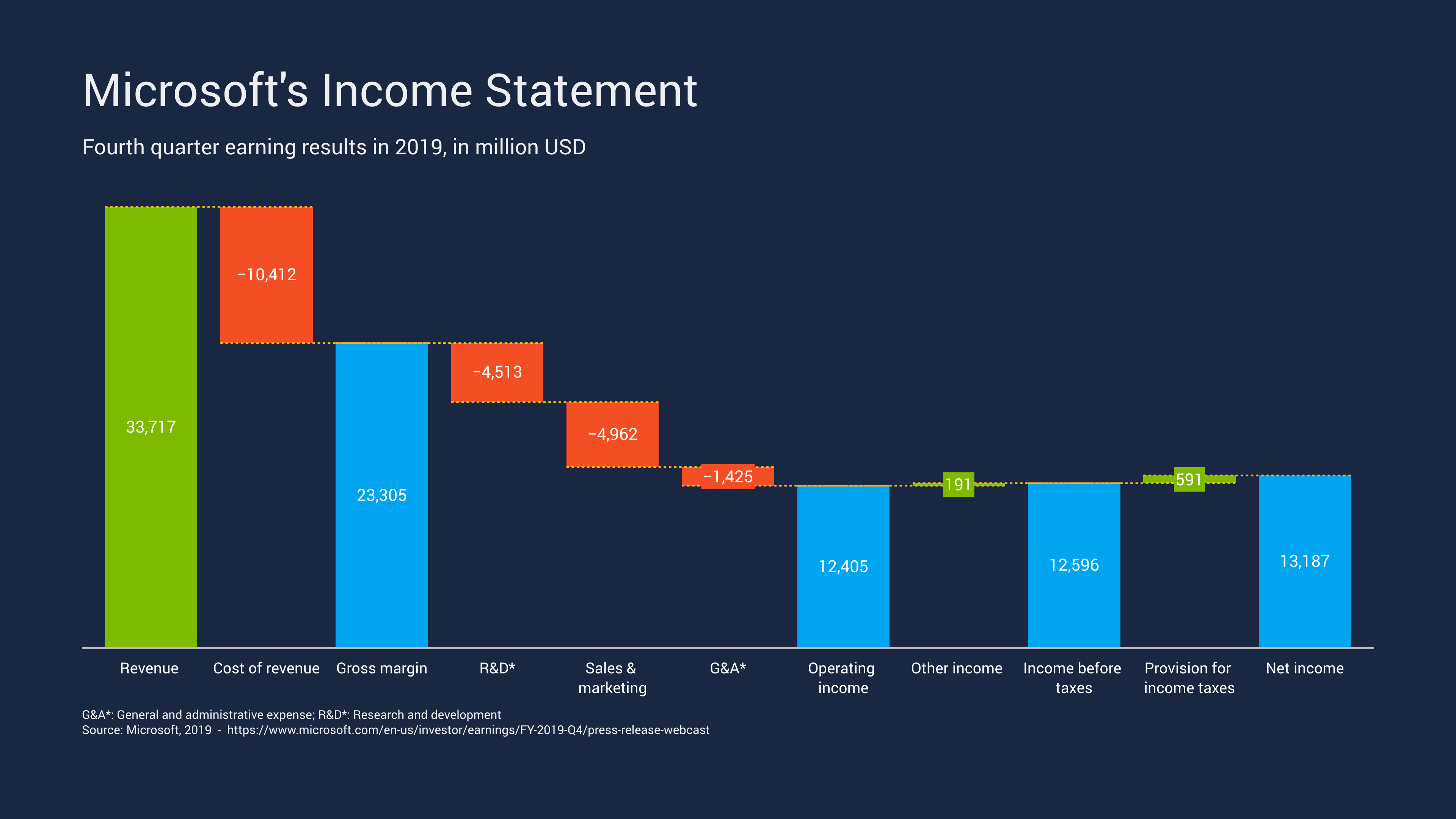
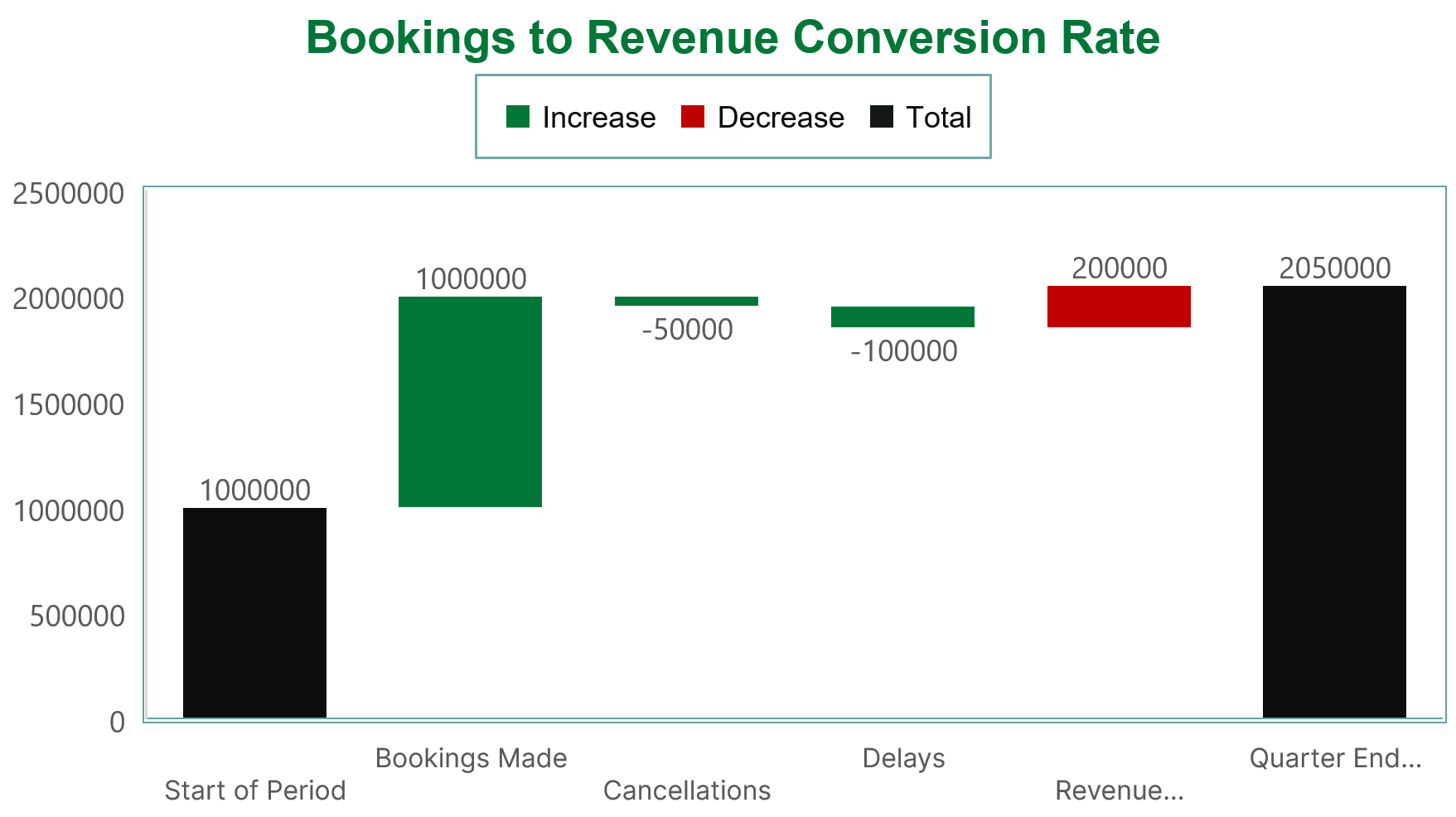
Sample Waterfall Chart

Show how revenue, expenses, and adjustments lead to a final profit or loss.


Budget or Cost Breakdown

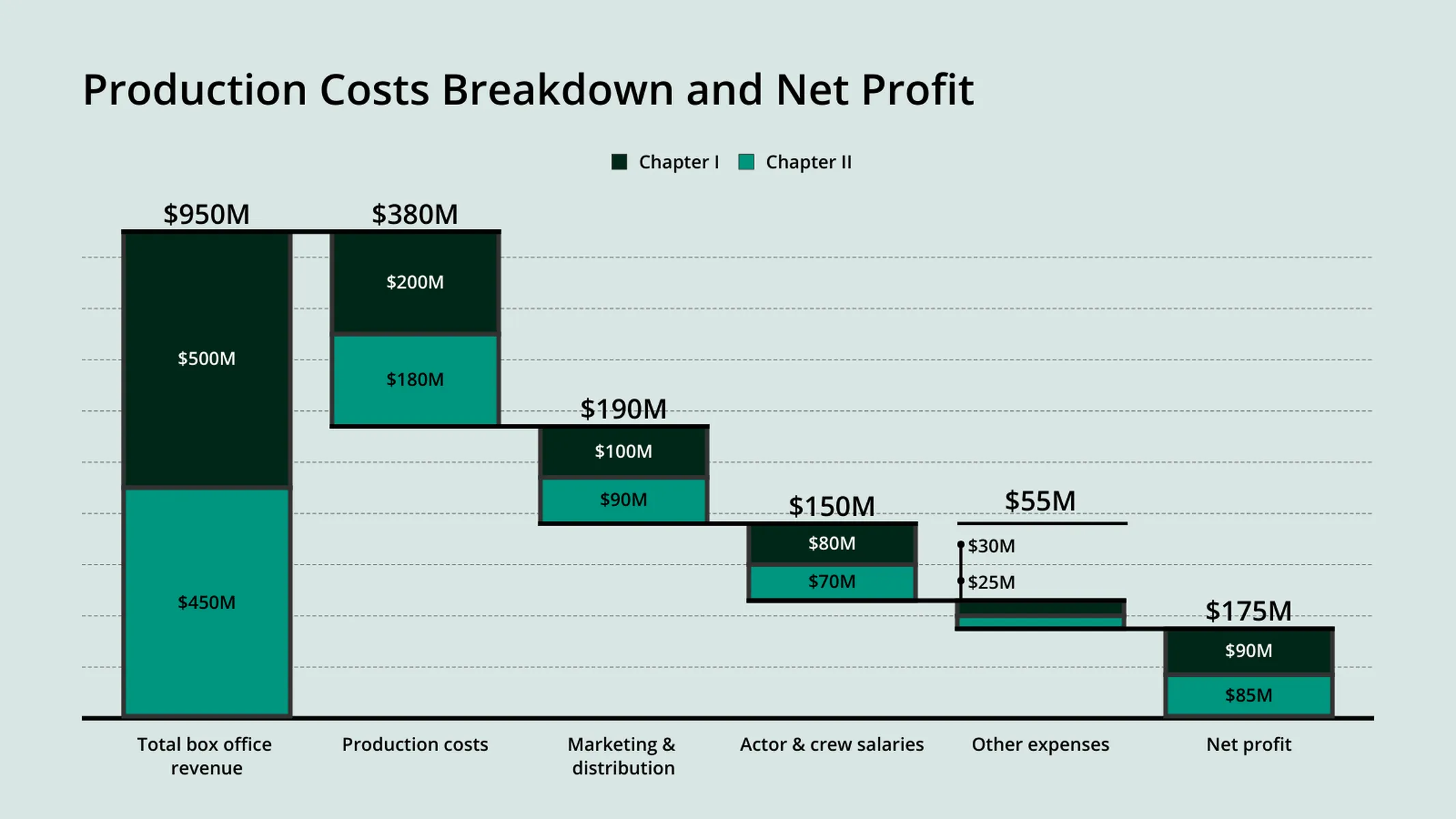
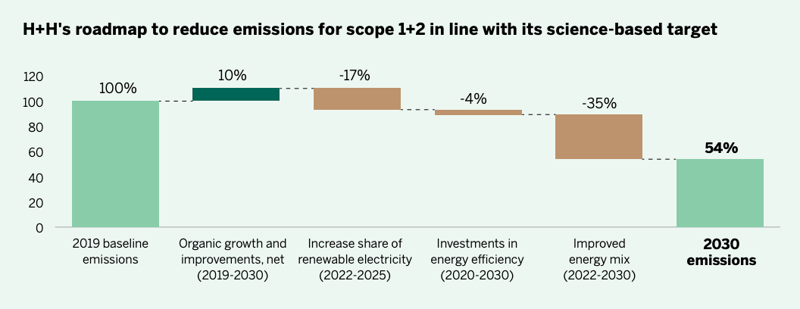
Sample Waterfall Chart

Explain how different factors increase or reduce available funds.


Project or Operational Milestones
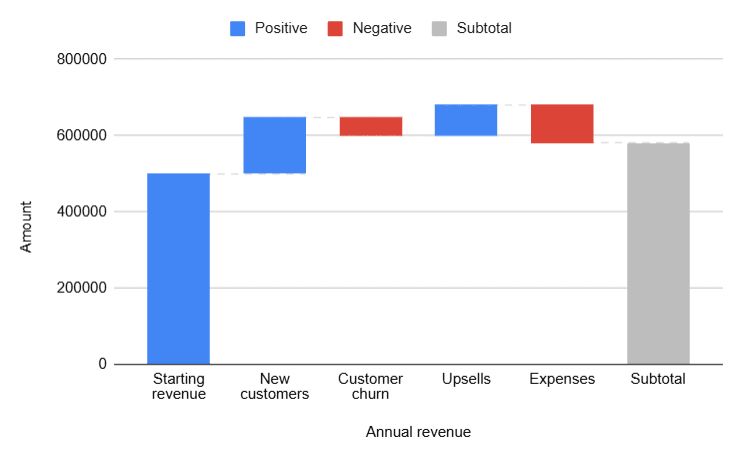
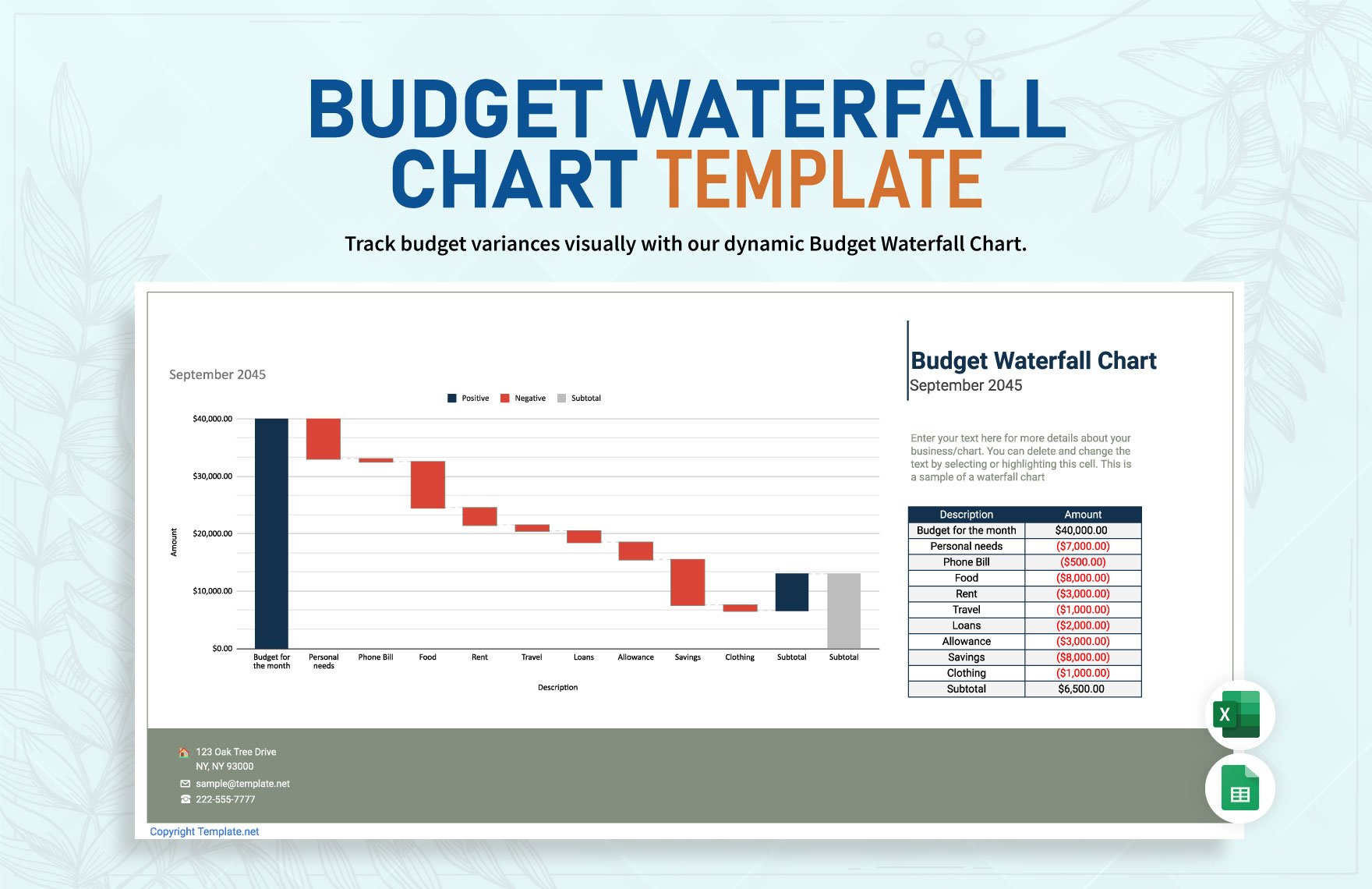
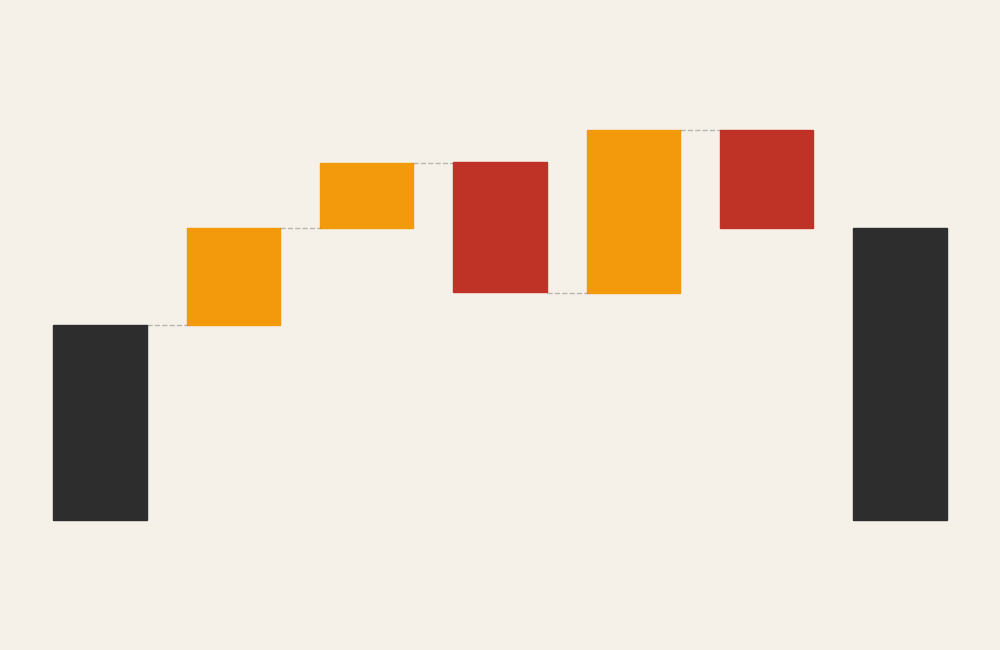
Sample Waterfall Chart

4

Highlight how stages contribute to overall performance outcomes.


Marketing or Campaign Impact
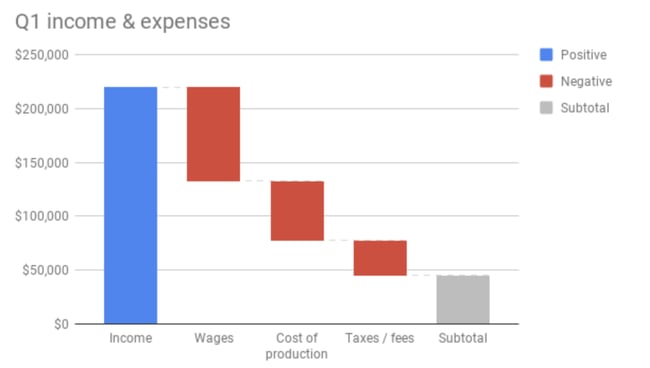
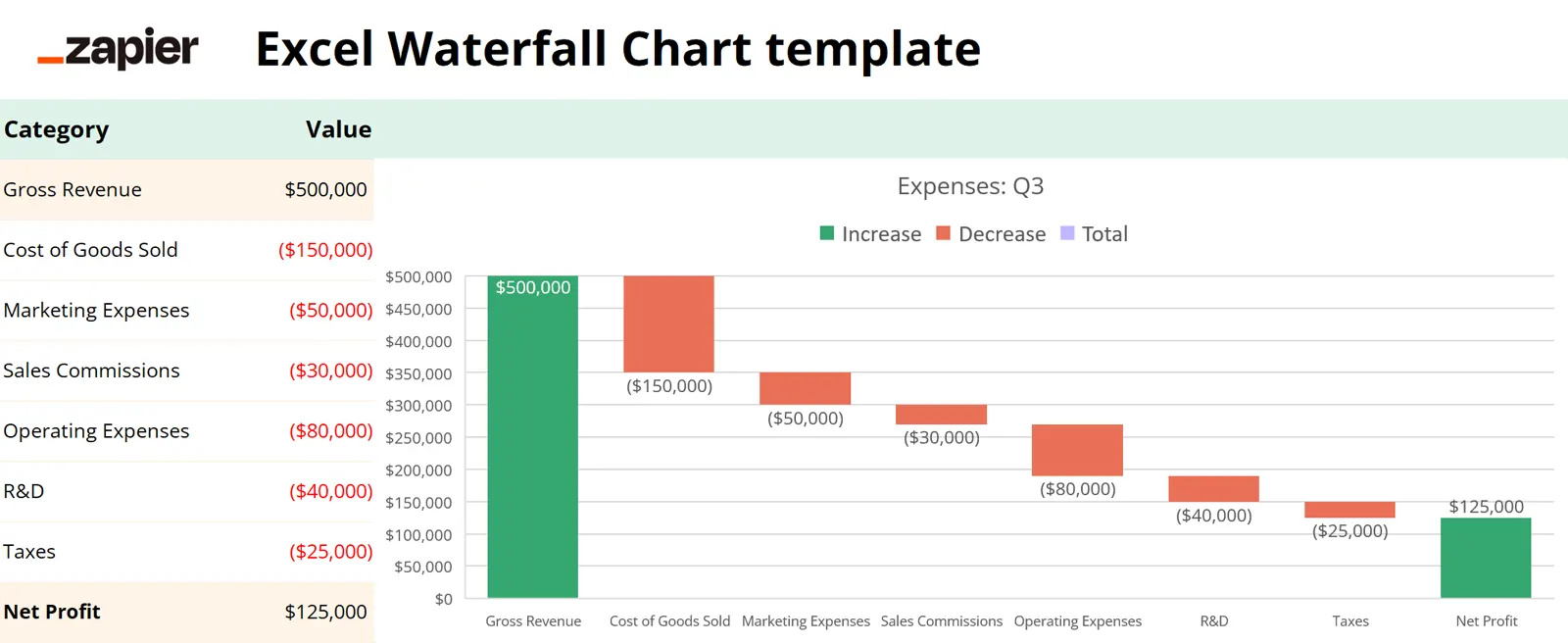
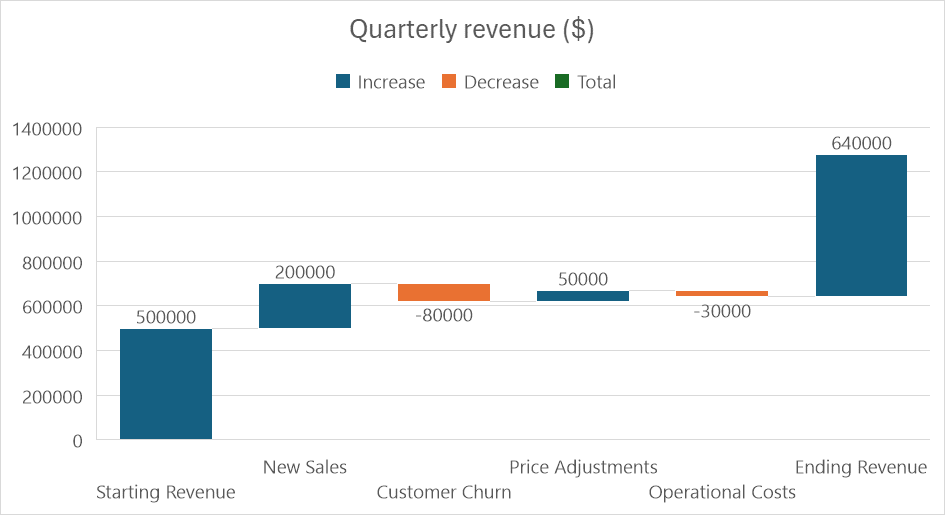
Sample Waterfall Chart

Reveal how individual channels or initiatives influence total results.


Energy or Resource Flow Adjustments
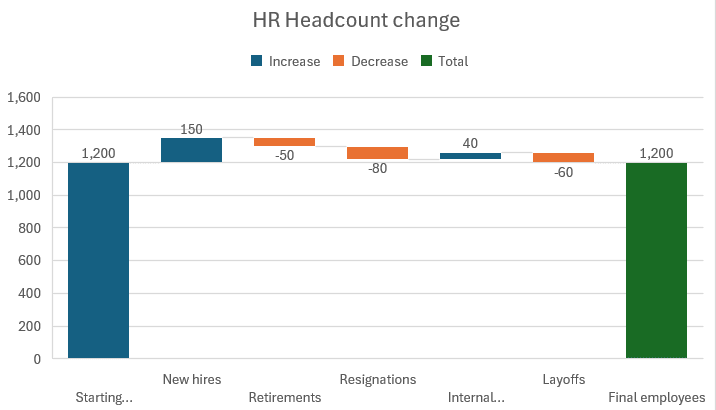
Sample Waterfall Chart

Show how gains and losses combine to affect overall output.


What to Avoid or Be Careful Of with a Waterfall Chart

❌ Don’t include too many steps
Excessive stages can make progression difficult to follow.

❌ Don’t omit clear starting and ending values
Viewers need anchors to understand the sequence.

❌ Don’t rely solely on color for meaning
Labels help distinguish gains from losses clearly.

❌ Don’t mix unrelated changes
Each step should logically connect to the overall progression.

❌ Don’t use it when categories are independent
Traditional bar charts may communicate isolated values more effectively.


*Content on this page was curated and edited by expert humans with the creative assistance of AI.

  • facebook
  • instagram
  • linkedin

DON'T MISS ANY SPOT-ON TIPS!

We don't spam! You'll only get emails when we post something awesome.
You can unsubscribe at any time.

Check your inbox or spam folder to confirm your subscription.

©2025 | The Comm Spot | By Newbold Communication & Design