
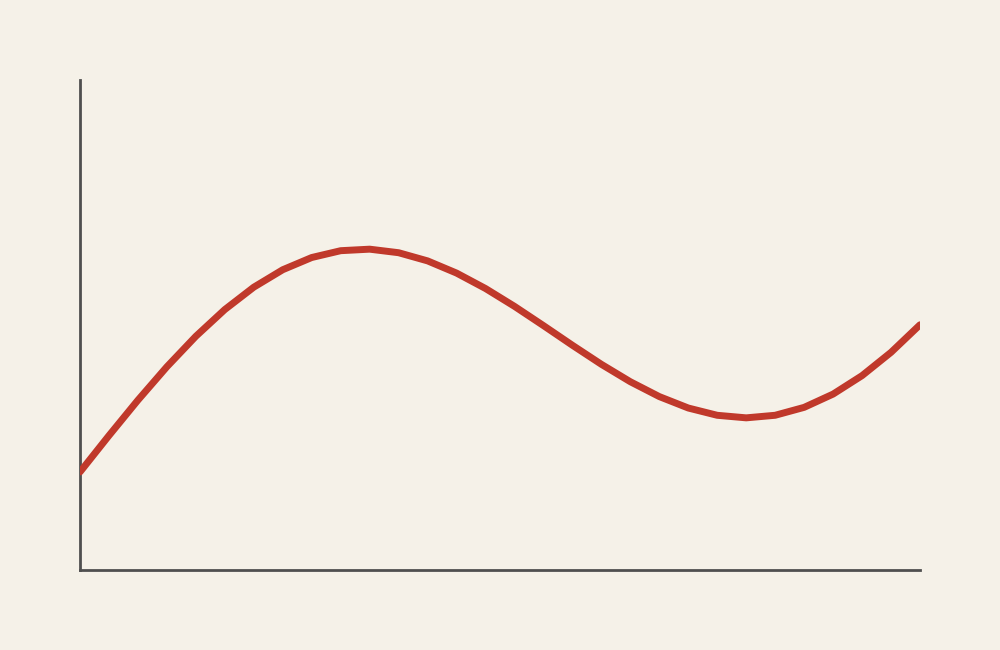
Line Graph: How to Show Change Over Time
A line graph helps visualize how values change across a continuous sequence, most often time. Use it to reveal trends, patterns, and direction, making it easier to see growth, decline, or stability at a glance.
Turn to a line graph when the goal is to show progression. The connected line guides the viewer through the data, emphasizing movement rather than isolated points.
What a Line Graph Is
A line graph displays values as points connected by a continuous line. The horizontal axis typically represents time or another ordered variable, while the vertical axis shows numerical values.
Common elements include:
- A continuous horizontal axis
- A line connecting data points
- Optional multiple lines for comparison
- Markers or annotations highlighting key moments
The connected line communicates continuity, helping viewers understand how one point leads to the next.
When to Use a Line Graph
Use a line graph when the focus is on change, direction, or trends over an ordered sequence.
This visual works especially well when the goal is to:
- Show growth or decline over time
- Compare trends across multiple groups
- Highlight peaks, dips, or turning points
- Reveal patterns or cycles
- Present time-based performance clearly
A line graph works best when the purpose is to show how something evolves across a continuous range.
Types of Data Sets That Work Best for a Line Graph
Line graphs work best with quantitative data measured across ordered intervals.
Strong candidates include:
- Sales or revenue by month or year
- Website traffic or engagement over time
- Stock or financial performance
- Population or enrollment trends
- Environmental measurements
- Experimental data tracked across stages
Each data point should follow a meaningful sequence so the connecting line represents real progression.
Real-World Examples of a Line Graph
Line graphs appear in dashboards, research reports, journalism, and analytics wherever trends need to be communicated clearly.
Sales or Revenue Trends
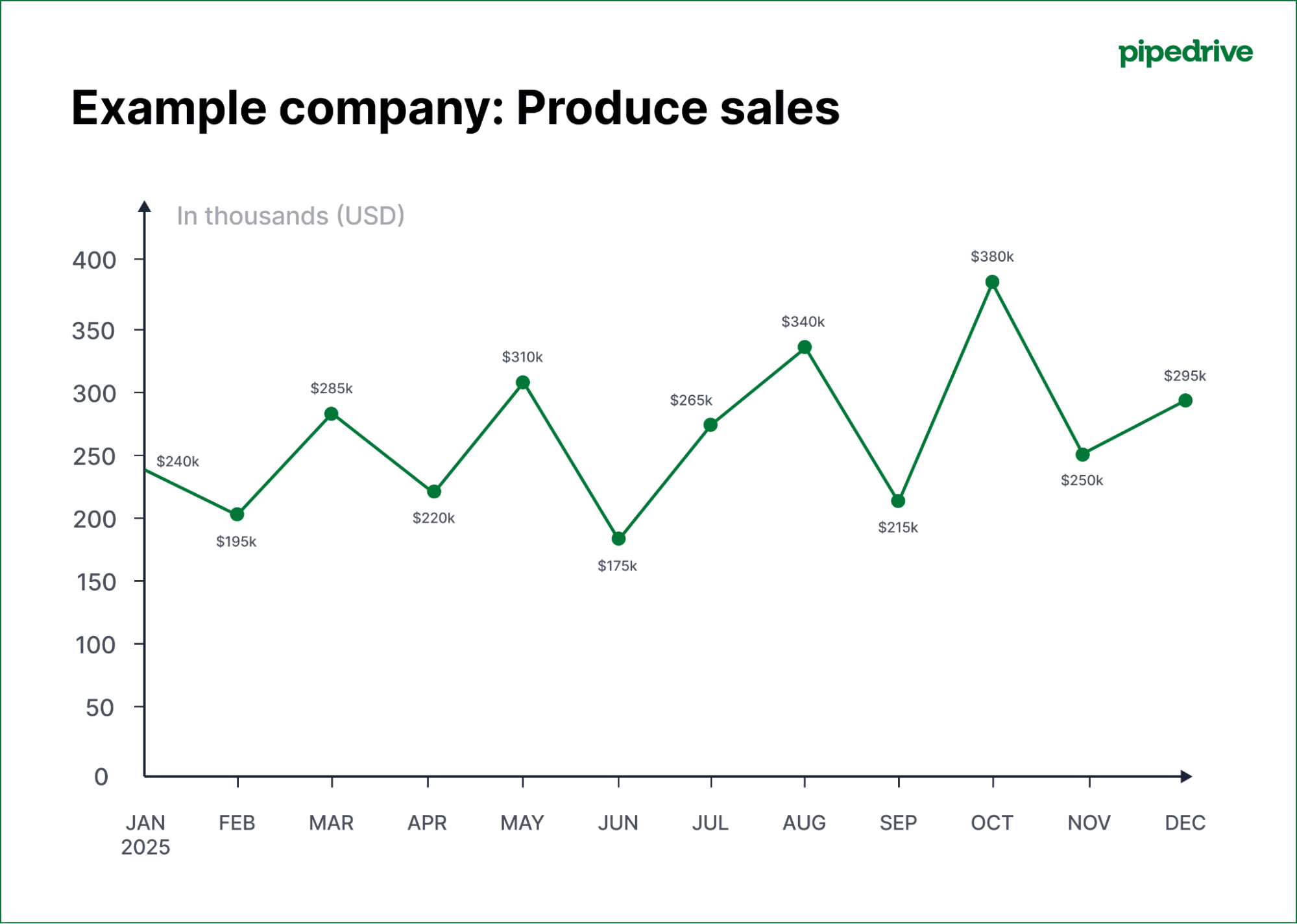

Show how performance changes across months or years and highlight growth patterns.
Website Traffic or Engagement

Reveal peaks, seasonal patterns, and long-term engagement trends.
Environmental or Climate Data
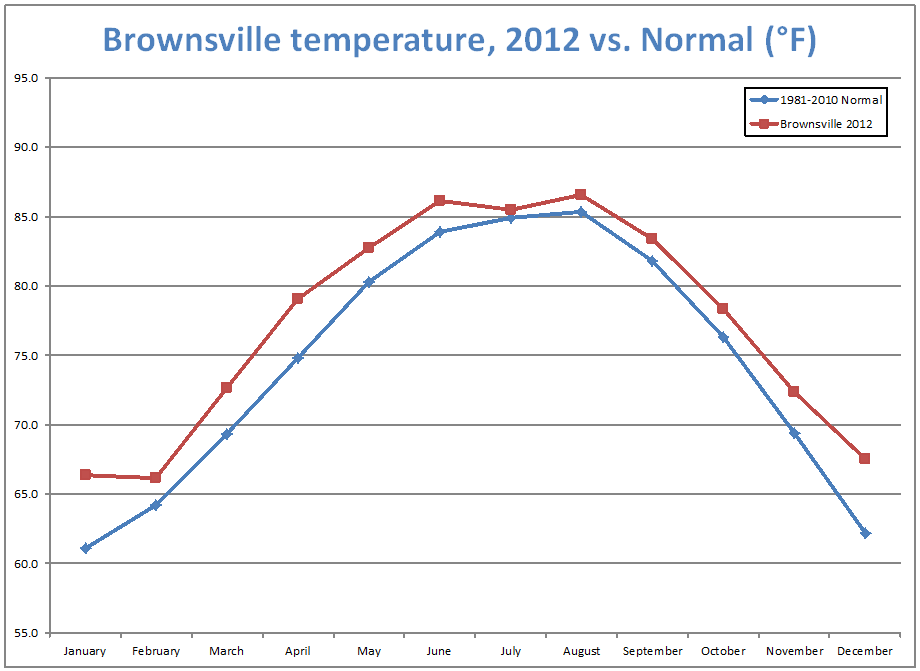
Display gradual changes and long-term trends in environmental measurements.
Financial Market Performance


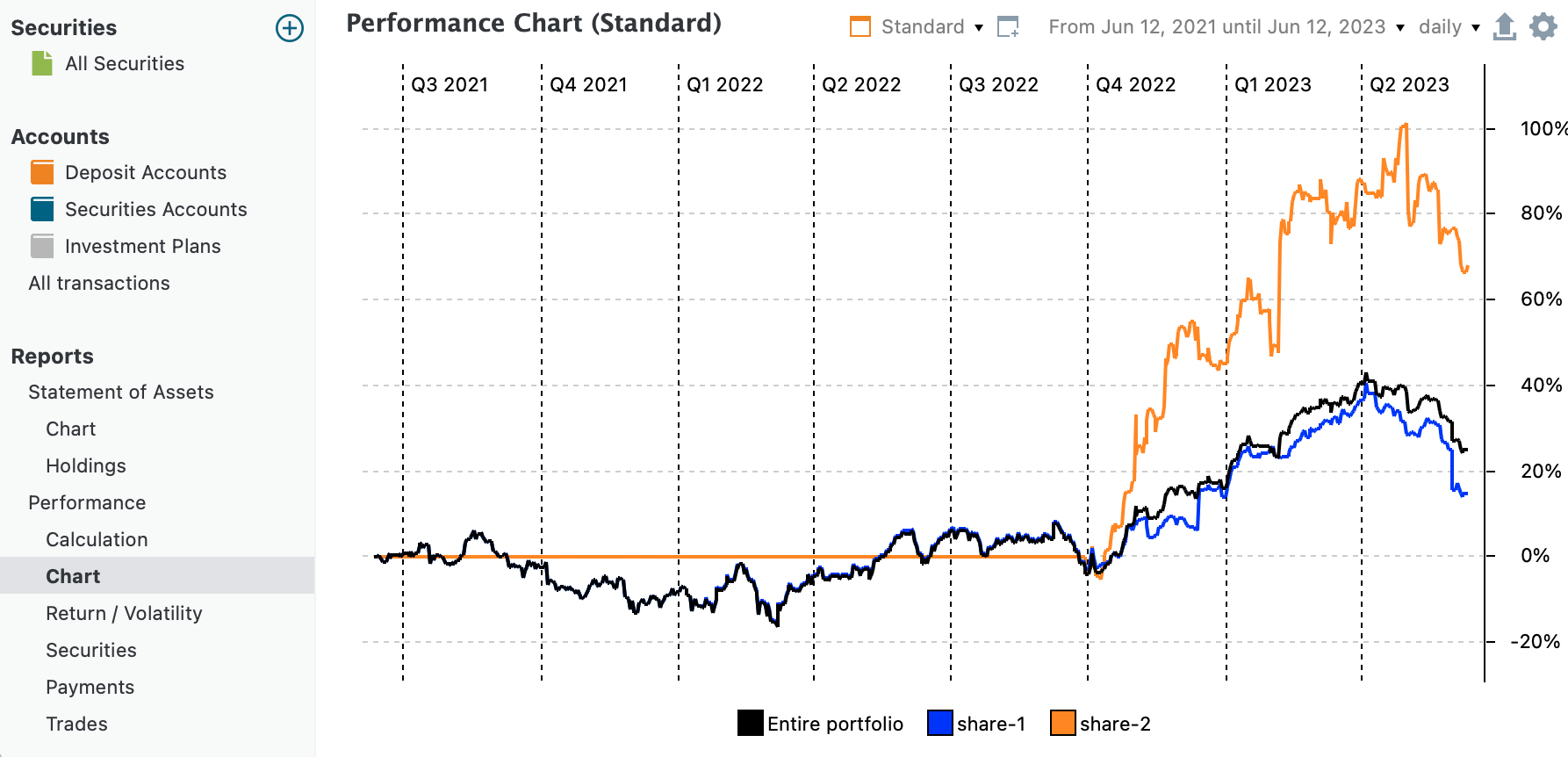
Track fluctuations and overall direction across time.
Academic or Research Measurements
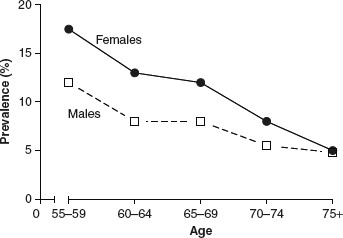

Show how outcomes evolve during experiments or observational studies.
What to Avoid or Be Careful Of with a Line Graph
❌ Don’t use it for unordered categories
Line graphs imply continuity, so unrelated categories can create misleading connections.
❌ Don’t overload with too many lines
Too many series make trends hard to distinguish. Limit the number of lines or separate into multiple charts.
❌ Don’t ignore scale consistency
Changing axes or scales can distort the perception of change.
❌ Don’t skip labels or context
Annotations help viewers understand important moments or shifts.
❌ Don’t use it when exact comparisons between categories are the main goal
Bar charts or dot plots often communicate category comparisons more clearly.
*Content on this page was curated and edited by expert humans with the creative assistance of AI.