

Skip to content
The Comm Spot The Comm Spot

It's All About Communication

  • HOME
  • ABOUT
    • Meet the Creator: Curtis Newbold, PhD
    • Hire Curtis
    • Publish with Us
    • Contact
    • Privacy Notice
  • COMM-BASICS
    • Glossary
    • Citation & Style Guides
      • AP Style (Journalism)
        • AP Style Overview
        • AP Style Guidelines
        • Media Ethics – SPJ Code of Ethics
        • Elements of Newsworthiness
      • APA Style
        • APA Format – Overview
        • APA - References Guidelines
        • APA - In-text Citations
        • APA - Citing Authors
        • APA - Audiovisual Media
        • APA - Books
        • APA - Digital Sources
        • APA - Events & Interactions
        • APA - Periodicals
        • APA - Print Sources (other than books)
      • Chicago Style
        • Chicago – Overview
        • Chicago - Author-Date System
        • Chicago - Notes-Bibliography System
        • Chicago - In-text Citations
        • Chicago Style - Citing Authors
        • Chicago - Audiovisual Media
        • Chicago - Books
        • Chicago - Digital Sources
        • Chicago - Events and Interactions
        • Chicago - Citing Periodicals
        • Chicago - Print Sources (other than books)
      • MLA Style
        • MLA Overview
        • MLA Works Cited Pages
        • MLA In-text Citations
        • MLA – Authors
        • MLA – Audiovisual Media
        • MLA – Books
        • MLA – Digital Sources
        • MLA – Events & Interactions
        • MLA – Periodicals
        • MLA – Print Sources (other than books)
    • Rhetoric
      • Overview of Rhetoric
      • Rhetorical Appeals (Rhetorical Triangle)
      • Branches of Oratory
      • Canons of Rhetoric
      • Rhetorical Devices
      • Kairos
      • Topos
      • Key Figures in Rhetoric
    • Research Methods
      • Case Studies
      • Competitor Analysis
      • Content Analysis
      • Discourse Analysis
      • Ethnography
      • Focus Groups
      • Observation Research
      • S.W.O.T. Analysis
      • Secondary Research
      • Surveys
      • Target Market Analysis
      • Usability Testing
      • Visual Analysis
    • Theories
    • Thinkers
  • COMM-SUBJECTS
    • Interpersonal Communication
      • Active Listening
      • Body Language
      • Conflict Management
      • Emotional Intelligence
        • Emotional Intelligence Overview
        • Self-Awareness
        • Self-Regulation
        • Motivation
        • Empathy
        • Social Skills
        • Emotional Intelligence Resources
      • Feedback
      • Negotiation
        • Overview of Negotiation
        • Negotiation Skills
        • Negotiation Strategies & Techniques
        • Stages of Negotiation
        • Common Negotiation Scenarios
        • Negotiation Case Studies & Examples
        • Negotiation Tools & Resources
        • Negotiation FAQ
    • Journalism
    • Public Speaking
      • General Guidelines
      • Overcoming Fear
      • Speech Writing and Organization
      • Delivery Techniques
      • Body Language
      • Audience Engagement
      • Storytelling
      • Designing Slides
      • P.O.W.E.R.F.U.L. Presentation Method
    • Strategic Communication
      • Business & Org Comm
        • Definition & History
        • Org Comm Theories
        • Business Documents
        • Change Management
        • Employee Relations
        • Employment Communication
        • Group & Team Communication
        • Leadership Communication
        • Power, Identity, & Ethics at Work
        • Project Management
      • Integrated Marketing Comm
        • Definition of IMC
        • Core Principles of IMC
        • IMC Planning
        • Audience Segmentation
        • Marketing Channels
        • Message Strategies
        • Campaign Measurement & Evaluation
        • Trends & Innovations in IMC
        • Challenges & Pitfalls in IMC
        • Careers & Roles in IMC
      • Public Relations
        • Foundations in PR
        • Strategic Practice
        • Tools & Tactics
        • Research & Analysis
        • Professional Development
      • Case Studies in Strat Comm
    • Technical & Scientific Communication
    • Visual Communication
      • Data Visualization
      • Information Design
      • Photography
      • Web Design
    • Written Communication
      • Writing Process
      • Organizational Methods
        • Five Paragraph Essay
        • Hourglass Method of Writing
        • IMRaD Format (Science)
        • Indirect Method (Bad News)
        • Inverted Pyramid (Journalism)
        • Martini Glass
        • Narrative Format
        • Proposal Format
        • Rogerian Method
        • Toulmin Method
      • Plain Language
        • Audience (Plain Language)
        • Organization (Plain Language)
        • Conversation (Plain Language)
        • Simplicity (Plain Language)
        • Word Choice (Plain Language)
        • Sentence Structure (Plain Language)
        • Design (Plain Language)
      • Punctuation
        • Apostrophes
        • Brackets
        • Colons
        • Commas
        • Ellipses
        • Em Dashes
        • En Dashes
        • Exclamation Marks
        • Hyphens
        • Parentheses
        • Periods
        • Question Marks
        • Quotation Marks
        • Semicolons
      • Style
        • Clarity
        • Conciseness
        • Consistency
        • Editing
        • Flow
        • Rhetorical Devices
        • Sentence Structure
        • Storytelling
        • Tone
        • Voice
        • Word Choice
  • RESOURCES
    • Teaching Resources
      • Assignments & Activities
      • Instructional Design
      • Pedagogies
  • BLOGS
    • The Spotlight Blog
    • Comm Sparks
  • SHOP
    • Cart
    • Checkout
0
The Comm Spot
The Comm Spot

It's All About Communication

Pre-Attentive Attributes: What They Are and Why They Matter

Home >COMM-Subjects >Visual Communication >Data Visualization >Principles of Data Visualization >Pre-Attentive Attributes: What They Are and Why They Matter

Overview: What Are Pre-Attentive Attributes?

Pre-attentive attributes are the visual properties our brains process instantly and automatically—within 200–250 milliseconds—before conscious attention kicks in. These attributes allow us to notice patterns, differences, and structure at a glance, without actively thinking about them.

Common pre-attentive attributes include color, size, length, orientation, shape, position, and motion. When used effectively, they help viewers immediately identify what’s important in a visualization—long before they begin reading labels or interpreting the chart’s structure.

Pre-attentive processing is a core reason why well-designed visualizations feel “effortless”—because our brains naturally detect meaning in these cues.


How Pre-Attentive Attributes Work

Pre-attentive processing is driven by the visual system’s ability to detect certain changes or contrasts in the environment automatically. At a biological level, the visual cortex is wired to rapidly identify things that “pop out,” such as:

  • A red dot among blue dots
  • A large bar among small bars
  • A vertical line among horizontal lines
  • A differently shaped symbol
  • A point that moves while others remain still

These differences are processed in parallel—meaning the viewer doesn’t have to scan each item one by one. Instead, the distinct attribute is recognized instantly as different or significant.

This neurological shortcut is what makes pre-attentive attributes incredibly powerful tools in data visualization.


Why Pre-Attentive Attributes Matter for Data Visualization

Pre-attentive attributes matter because they determine what your audience sees first, what they understand quickly, and whether or not your message is clear.

1. They create immediate focus.

If you want viewers to notice a particular point, trend, or group, pre-attentive attributes ensure it stands out instantly.

2. They reduce cognitive load.

When viewers don’t have to work hard to interpret a chart, they can focus on the message—not the mechanics.

3. They help communicate structure.

Attributes like position and grouping help viewers understand relationships among data points without having to read extensive labels.

4. They improve accessibility.

Thoughtful use of pre-attentive attributes ensures that insights remain clear even for audiences with varying levels of data literacy.

5. They prevent misinterpretation.

Designing with pre-attentive attributes in mind helps ensure that the most important information draws attention first—before less important details distract or confuse.

In short, pre-attentive attributes are the foundation of visual clarity and the key to making visualizations intuitive.


Designing with Pre-Attentive Attributes in Mind

To design effective data visualizations, intentionally use pre-attentive attributes to highlight, categorize, group, or differentiate information.

1. Use Color Purposefully

  • Use a single accent color to highlight the key message.
  • Keep the rest of the chart in muted tones.
  • Avoid using too many colors—limit to a small, purposeful palette.
  • Ensure color contrast is high enough for accessibility.

Example: Highlight one bar in red while the rest remain gray to instantly draw attention.


2. Use Size to Indicate Importance

  • Larger elements should represent more important values or points.
  • Keep scaling consistent across the visualization.
  • Be careful not to distort meaning—size should correlate with actual data.

Example: Increase the size of a marker on a scatter plot to emphasize an outlier.


3. Use Shape and Form to Categorize

  • Different shapes help indicate different groups or categories.
  • Use shape sparingly—too many shapes can create noise.
  • Pair shape with color when possible for additional clarity.

Example: Circles for one group, triangles for another.


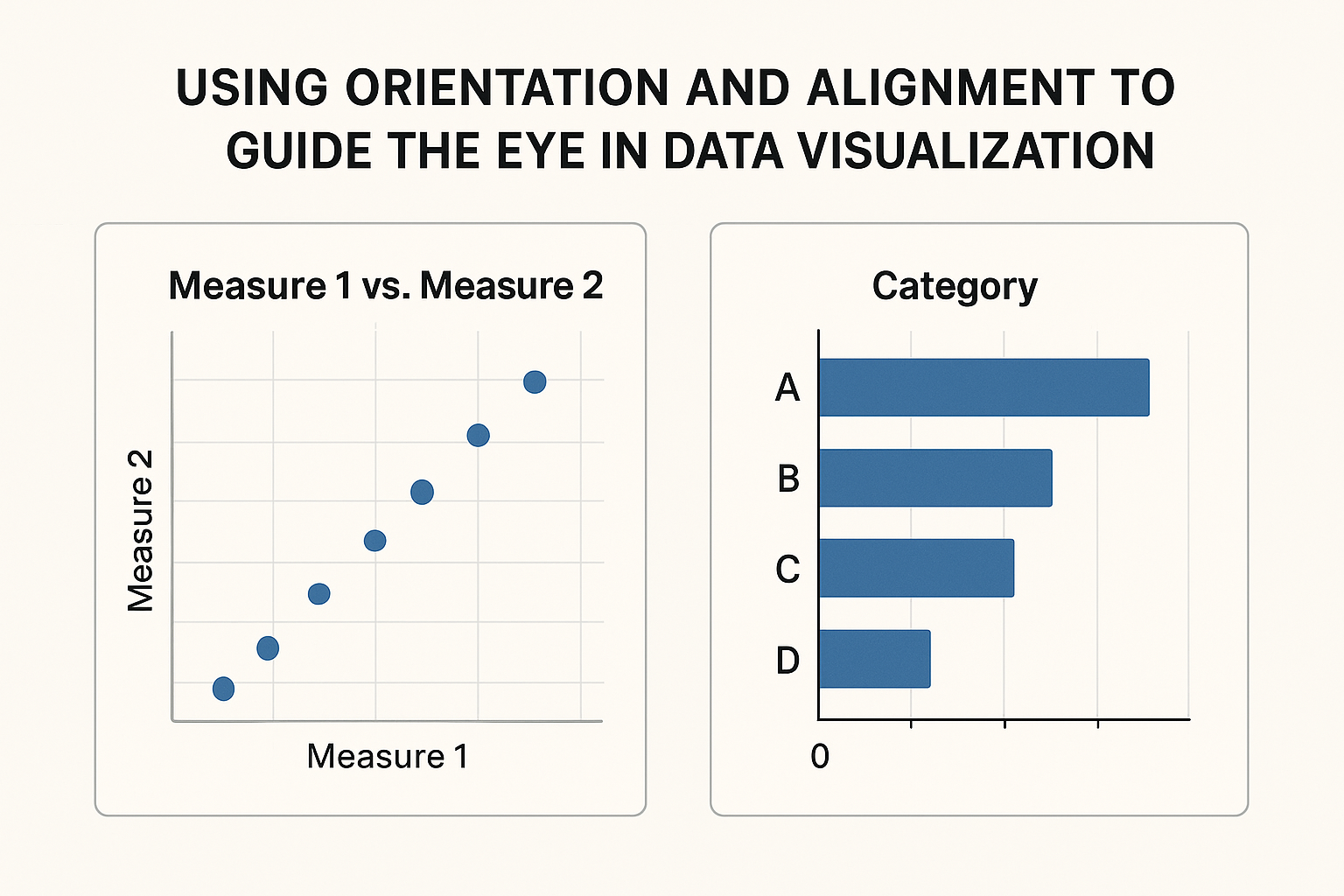
4. Use Orientation and Alignment to Guide the Eye

  • Orientation differences “pop out” and direct attention.
  • Keep most elements uniform so orientation changes stand out.
  • Align charts and labels to create a clean visual path.

Example: One vertical line among horizontal lines draws immediate attention.

5. Use Spatial Positioning Strategically

  • Position is one of the strongest pre-attentive attributes: left-to-right and up-to-down patterns are processed instantly.
  • Use consistent scales and spacing to avoid confusion.
  • Leverage proximity to show grouping without additional labels.

Example: Clustering related items closer together visually signals a relationship.


6. Use Motion (Sparingly!)

  • Movement instantly captures attention—but can easily become distracting.
  • Use only for interactive or dynamic displays where change over time needs to be highlighted.

Example: A pulsing highlight to indicate the focal point in an animated dashboard.


7. Remove Anything That Competes for Attention

Pre-attentive processing cuts both ways: anything that stands out unintentionally becomes a distraction.
Ask yourself:

  • Does this color or shape help or hinder?
  • Is the viewer’s eye drawn to the wrong place?
  • Is the visual hierarchy clear and intentional?

Clarity requires discipline.


How to Apply Pre-Attentive Attributes Effectively

When designing any chart or visualization:

  1. Identify the key insight you want the viewer to notice.
  2. Choose one primary pre-attentive attribute (typically color or size) to highlight that insight.
  3. Reduce competing signals—muted colors, consistent sizing, simple shapes.
  4. Use layout and spacing to support the story.
  5. Test your visualization by asking:
    “What did you notice first?”
    If the answer isn’t your intended insight, refine your design.

Pre-attentive attributes are not decoration—they are strategic communication devices that shape how your audience sees and understands information.


*Content on this page was curated and edited by expert humans with the creative assistance of AI.

  • facebook
  • instagram
  • linkedin

DON'T MISS ANY SPOT-ON TIPS!

We don't spam! You'll only get emails when we post something awesome.
You can unsubscribe at any time.

Check your inbox or spam folder to confirm your subscription.

©2025 | The Comm Spot | By Newbold Communication & Design