
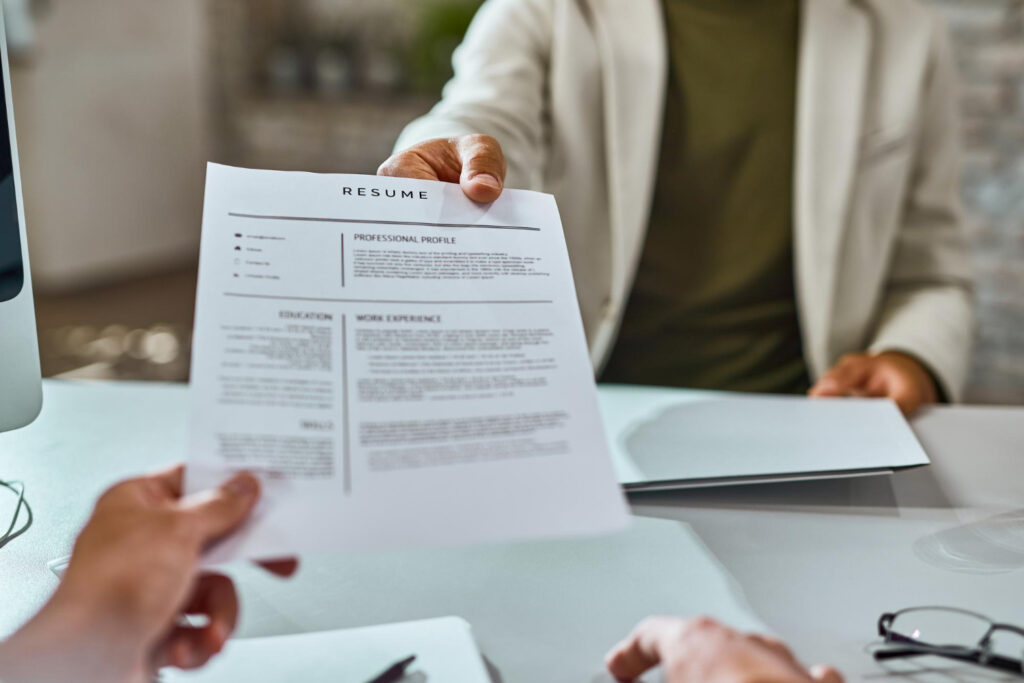
A strong résumé is more than a summary of your experience—it’s a strategic marketing tool designed to position you as the best candidate for a role. Follow this guide to understand the following:
- How Employers Use Résumés
- Résumé Best Practices
- Types of Résumés
- Résumé Writing Tips
- Action Verbs to Use on Résumés
- Formatting and Designing Résumés
- What to Avoid on Résumés
- Sending Your Résumé Dos and Don’ts
- Résumé Lookbook
How Résumés Are Used by Employers: Things to Know
To write a résumé that will actually get you an interview (which is the primary purpose of a résumé), you need to understand how employers read them—and what they’re looking for.
- Employers look at résumés quickly. Recruiters often spend 6–10 seconds on a first pass. They’re looking for keywords, job titles, and layout clarity before deciding to read further. If your résumé doesn’t capture their attention fast, you may never get another look.
- Applicant Tracking Systems (ATS) filter résumés. Most large employers use ATS software that scans résumés for specific words and phrases from the job description. If your résumé doesn’t include keywords from the job description, it may be immediately rejected by the software and never be seen by a human.
- Hiring managers seek fit. Beyond obvious experience, they’re asking: “Does this person seem capable of doing the job in this context?” They’re evaluating skill alignment, uniquely tailor ability, attention to detail, communication style, and professionalism.
- Résumé design affects perception. Visual hierarchy (bold headings, alignment, clean fonts) makes a résumé easier to skim and signals professionalism.
TIP: Always assume both a machine and a human will read your résumé—so it needs to be clear, keyword-rich, and well-organized.
Best Practices for Preparing Résumés
Here are foundational principles that should guide every résumé:
- Tailor it for each application.
Customize your summary, bullet points, and key terms to reflect the job description. Example: If a job asks for “project coordination experience,” use that phrasing in your résumé rather than “project management.” - Use reverse chronological order.
List your most recent job first under each section (experience, education, etc.). An exception to this may be if you have more relevant experience that you want to draw attention to first. However, there is a risk of placing relevant work first, as it can appear that there are gaps in employment, which can sometimes have a negative trigger for some employers. - Focus on accomplishments and specifics, not just general responsibilities.
Instead of: “Answered customer calls”
Write: “Resolved an average of 40+ customer inquiries per day, achieving a 95% satisfaction rate.” - Incorporate job-specific keywords.
Many employers use filters. Use language from the posting to match your skills to their needs. - Use one page if you’re early in your career.
Two pages are appropriate if you have extensive experience—but make every line count. - Keep it professional.
No headshots, colors, or graphics unless you’re in a creative field and submitting a designed version outside an ATS.
Types of Résumés
Depending on your experience or the industry in which you’re applying, you may choose a different résumé structure. Here are the three most common types:
Chronological Résumé
Best for: Job seekers with a consistent work history in one field.
Structure:
- Contact Info
- Summary/Objective
- Work Experience (reverse chronological)
- Education
- Skills
Why it works: Employers are familiar with it and prefer seeing a clear career progression.
Example:
- Marketing Associate, ABC Corp, 2021–2023
- Managed digital ad campaigns with a $200K budget
- Increased web traffic by 45% YOY through content strategy
Functional Résumé
Best for: Career changers or those with gaps in employment.
Structure:
- Contact Info
- Skills-Based Sections (e.g., “Project Management,” “Client Relations”)
- Work History (brief list)
- Education
Why it works: It puts transferable skills front and center.
Note: Some recruiters distrust this format if it hides dates or job history.
Combination Résumé
Best for: Those with strong skills and a solid job history.
Structure:
- Contact Info
- Summary
- Key Skills + Achievements
- Work Experience
- Education
Why it works: Combines the best of both approaches.
Example:
- Leadership & Strategy: Directed a 12-person cross-functional team, leading to a 30% reduction in project cycle time
- Marketing Experience: Oversaw email campaigns that grew subscriber list by 22%
Creative Résumé
Best for: Designers, artists, writers, marketers, and applicants in creative fields.
Structure: Similar to a chronological or combination résumé, but customized in appearance and sometimes medium. May include:
- Custom layout, fonts, or color schemes
- Visual elements like icons, timelines, or infographics
- Links to a portfolio or social media
- Use of design software to format (e.g., Adobe InDesign, Canva)
Why it works: When done well, a creative résumé showcases your skills by how it’s designed. It can capture attention, demonstrate brand identity, and break the mold—especially when applying directly to a hiring manager.
Example Creative Résumé Ideas:
- A graphic designer submitting a résumé that mimics a product label or digital dashboard
- A copywriter writing their résumé in the form of an ad or editorial
- A video résumé for a multimedia role
Caution:
- Never use a creative résumé when applying through an ATS. Many systems can’t read text embedded in graphics or non-standard layouts.
- Always send a traditional version alongside if you’re unsure about format requirements.
- Creative résumés aren’t appreciated in all industries. Be sure a creative résumé fits within current expectations for the type of job you are applying for.
Pro Tip: Use a creative résumé when applying via email, portfolio sites, or directly to hiring managers—not through job portals with parsing software.
Résumé Writing Tips (With Examples)
Writing your résumé is about positioning yourself as the solution to an employer’s problem. Here’s how:
1. Start each bullet with a strong action verb.
Instead of: “Was responsible for managing a budget”
Write: “Managed a $500K budget across three departments, reducing operational costs by 15%.”
2. Quantify your achievements.
Numbers create credibility.
Example: “Increased customer retention from 72% to 89% over 12 months.”
3. Use the STAR formula (Situation, Task, Action, Result) when possible.
Example:
- Situation: Company lacked a digital sales funnel and was losing leads after initial contact.
- Task: Improved the lead nurturing process to convert more prospects into customers.
- Action: Designed and launched an automated CRM-based follow-up sequence using HubSpot.
- Result: Boosted qualified lead conversions by 40% within two quarters.
4. Make your summary a pitch.
Avoid fluff. Be specific.
Bad: “Motivated team player looking for a dynamic role.”
Good: “Bilingual customer service associate with 4+ years of experience resolving 100+ weekly support cases in fast-paced SaaS environments.”
List of Résumé Action Verbs (Organized Table)
Use these verbs to begin bullet points and make your impact clearer. Avoid weak words like “helped,” “worked,” or “assisted.”
| Leadership & Strategy | Communication & Service | Project & Process | Technical & Analytical | Creative & Development |
|---|---|---|---|---|
| Directed | Advised | Managed | Engineered | Designed |
| Supervised | Mediated | Coordinated | Programmed | Composed |
| Led | Instructed | Executed | Diagnosed | Crafted |
| Mentored | Resolved | Streamlined | Evaluated | Illustrated |
| Delegated | Presented | Implemented | Analyzed | Developed |
| Oversaw | Negotiated | Launched | Audited | Ideated |
| Orchestrated | Advocated | Systematized | Modeled | Edited |
| Facilitated | Communicated | Built | Optimized | Branded |
| Championed | Educated | Monitored | Synthesized | Prototyped |
| Initiated | Translated | Scheduled | Tested | Curated |
Formatting and Designing Résumés
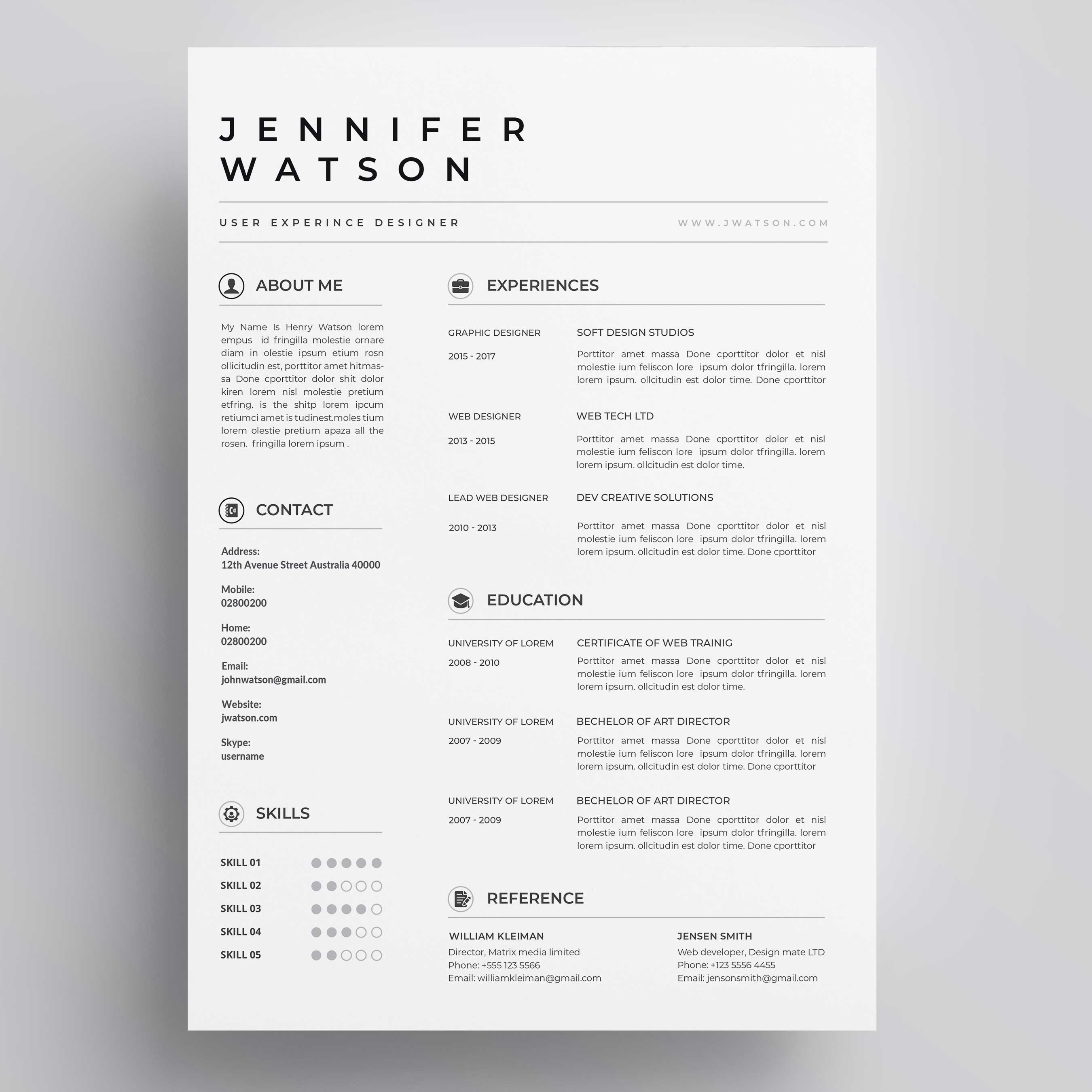
Your résumé must be both attractive and functional. Here’s how to do both:
Try This:
- Use bold for section headings (Experience, Education, etc.)
- Stick to readable, non-distracting fonts (like Century Gothic, Avenir, or Roboto)
- Avoid overused, default, or cliche fonts (like Calibri, Arial, Times New Roman, or Comic Sans)
- Use consistent spacing—line up dates, locations, and job titles
- Include white space for readability
- Try using columns to make most effective use of space—avoid large areas of empty space, which can make your résumé look bare
Example Layout:
Things to Avoid on Résumés
Steer clear of these common mistakes:
- ❌ Personal photos (unless you’re in a market like Europe where it’s customary or you’re applying for a job that requests it, like modeling or acting)
- ❌ Unprofessional email addresses like ilovepizza123@gmail.com
- ❌ Lying or exaggerating—background checks exist
- ❌ Fluff or filler (“self-starter,” “go-getter”) with no examples
- ❌ Dense blocks of text—use bullets and spacing
- ❌ Outdated information like high school GPA or jobs from 15 years ago
- ❌ Unrelated hobbies like golf or fishing (related hobbies can be relevant, though—if you want to be a soccer coach, playing on a soccer team is useful to mention)
Test It: Ask yourself, “Does this detail support the job I want today?”
Sending Your Résumé: Dos and Don’ts
Dos:
- Send as a PDF to preserve formatting (unless otherwise stated)
- Use a file name that describes the document, such as
TaylorNguyen_Resume_Marketing.pdf - Always include a customized cover letter
- Follow the employer’s exact instructions
- Use professional language in your email message or application portal
Don’ts:
- Don’t send from an unprofessional email address
- Don’t send as a Google Doc or other editable format unless specifically requested
- Don’t forget to check the formatting on mobile devices
- Don’t attach without context—write a short message in your email
Résumé Design Considerations
Need design inspiration? These résumé styles are optimized for different fields:
| Résumé Style | Best For | Design Tips |
|---|---|---|
| Modern Minimalist | Startups, marketing, tech | Sans serif fonts, bold headings, no graphics |
| Traditional Executive | Law, finance, academia | Serif fonts, black-and-white, conservative structure |
| Creative Portfolio | Design, film, communications | Bold layout, room for portfolio link or thumbnail |
| ATS-Friendly Format | Corporations, healthcare, education | Plain formatting, single column, no graphics or text boxes |
| Hybrid Combination | Career changers, consultants | Top section = skill blocks; bottom section = selected history |
*Content on this page was curated and edited by expert humans with the creative assistance of AI.