
Skip to content
The Comm Spot The Comm Spot

It's All About Communication

  • HOME
  • ABOUT
    • Meet the Creator: Curtis Newbold, PhD
    • Hire Curtis
    • Publish with Us
    • Contact
    • Privacy Notice
  • COMM-BASICS
    • Glossary
    • Citation & Style Guides
      • AP Style (Journalism)
        • AP Style Overview
        • AP Style Guidelines
        • Media Ethics – SPJ Code of Ethics
        • Elements of Newsworthiness
      • APA Style
        • APA Format – Overview
        • APA - References Guidelines
        • APA - In-text Citations
        • APA - Citing Authors
        • APA - Audiovisual Media
        • APA - Books
        • APA - Digital Sources
        • APA - Events & Interactions
        • APA - Periodicals
        • APA - Print Sources (other than books)
      • Chicago Style
        • Chicago – Overview
        • Chicago - Author-Date System
        • Chicago - Notes-Bibliography System
        • Chicago - In-text Citations
        • Chicago Style - Citing Authors
        • Chicago - Audiovisual Media
        • Chicago - Books
        • Chicago - Digital Sources
        • Chicago - Events and Interactions
        • Chicago - Citing Periodicals
        • Chicago - Print Sources (other than books)
      • MLA Style
        • MLA Overview
        • MLA Works Cited Pages
        • MLA In-text Citations
        • MLA – Authors
        • MLA – Audiovisual Media
        • MLA – Books
        • MLA – Digital Sources
        • MLA – Events & Interactions
        • MLA – Periodicals
        • MLA – Print Sources (other than books)
    • Rhetoric
      • Overview of Rhetoric
      • Rhetorical Appeals (Rhetorical Triangle)
      • Branches of Oratory
      • Canons of Rhetoric
      • Rhetorical Devices
      • Kairos
      • Topos
      • Key Figures in Rhetoric
    • Research Methods
      • Case Studies
      • Competitor Analysis
      • Content Analysis
      • Discourse Analysis
      • Ethnography
      • Focus Groups
      • Observation Research
      • S.W.O.T. Analysis
      • Secondary Research
      • Surveys
      • Target Market Analysis
      • Usability Testing
      • Visual Analysis
    • Theories
    • Thinkers
  • COMM-SUBJECTS
    • Interpersonal Communication
      • Active Listening
      • Body Language
      • Conflict Management
      • Emotional Intelligence
        • Emotional Intelligence Overview
        • Self-Awareness
        • Self-Regulation
        • Motivation
        • Empathy
        • Social Skills
        • Emotional Intelligence Resources
      • Feedback
      • Negotiation
        • Overview of Negotiation
        • Negotiation Skills
        • Negotiation Strategies & Techniques
        • Stages of Negotiation
        • Common Negotiation Scenarios
        • Negotiation Case Studies & Examples
        • Negotiation Tools & Resources
        • Negotiation FAQ
    • Journalism
    • Public Speaking
      • General Guidelines
      • Overcoming Fear
      • Speech Writing and Organization
      • Delivery Techniques
      • Body Language
      • Audience Engagement
      • Storytelling
      • Designing Slides
      • P.O.W.E.R.F.U.L. Presentation Method
    • Strategic Communication
      • Business & Org Comm
        • Definition & History
        • Org Comm Theories
        • Business Documents
        • Change Management
        • Employee Relations
        • Employment Communication
        • Group & Team Communication
        • Leadership Communication
        • Power, Identity, & Ethics at Work
        • Project Management
      • Integrated Marketing Comm
        • Definition of IMC
        • Core Principles of IMC
        • IMC Planning
        • Audience Segmentation
        • Marketing Channels
        • Message Strategies
        • Campaign Measurement & Evaluation
        • Trends & Innovations in IMC
        • Challenges & Pitfalls in IMC
        • Careers & Roles in IMC
      • Public Relations
        • Foundations in PR
        • Strategic Practice
        • Tools & Tactics
        • Research & Analysis
        • Professional Development
      • Case Studies in Strat Comm
    • Technical & Scientific Communication
    • Visual Communication
      • Data Visualization
      • Information Design
      • Photography
      • Web Design
    • Written Communication
      • Writing Process
      • Organizational Methods
        • Five Paragraph Essay
        • Hourglass Method of Writing
        • IMRaD Format (Science)
        • Indirect Method (Bad News)
        • Inverted Pyramid (Journalism)
        • Martini Glass
        • Narrative Format
        • Proposal Format
        • Rogerian Method
        • Toulmin Method
      • Plain Language
        • Audience (Plain Language)
        • Organization (Plain Language)
        • Conversation (Plain Language)
        • Simplicity (Plain Language)
        • Word Choice (Plain Language)
        • Sentence Structure (Plain Language)
        • Design (Plain Language)
      • Punctuation
        • Apostrophes
        • Brackets
        • Colons
        • Commas
        • Ellipses
        • Em Dashes
        • En Dashes
        • Exclamation Marks
        • Hyphens
        • Parentheses
        • Periods
        • Question Marks
        • Quotation Marks
        • Semicolons
      • Style
        • Clarity
        • Conciseness
        • Consistency
        • Editing
        • Flow
        • Rhetorical Devices
        • Sentence Structure
        • Storytelling
        • Tone
        • Voice
        • Word Choice
  • RESOURCES
    • Teaching Resources
      • Assignments & Activities
      • Instructional Design
      • Pedagogies
  • BLOGS
    • The Spotlight Blog
    • Comm Sparks
  • SHOP
    • Cart
    • Checkout
0
The Comm Spot
The Comm Spot

It's All About Communication

Cover Letters (Employment Communication)

Home >COMM-Subjects >Strategic Communication >Business & Organizational Communication >Employment Communication >Cover Letters (Employment Communication)

A cover letter is a personalized business letter that introduces you to a potential employer, highlights your relevant skills, and explains why you’re a good fit for the job. While your résumé outlines your qualifications, a cover letter allows you to connect the dots—to tailor your story, demonstrate interest in the company, and persuade the reader to invite you for an interview.

Cover letters are typically required when applying for professional, academic, or administrative positions and are especially important when:

  • The job posting requests one
  • You’re submitting your application via email or job portal
  • You want to explain career transitions or employment gaps
  • You want to stand out in a competitive job market

Even when optional, a well-written cover letter can elevate your application.


Writing a Cover Letter: Overview of Best Practices

Writing a great cover letter requires strategy, clarity, and a focus on the employer’s needs. Keep these principles in mind:

  • Customize every letter to the specific job and company.
  • Keep it concise—typically one page, though this can vary, especially for academic appointments or advanced, senior-level positions.
  • Match your tone to the company’s culture: professional, enthusiastic, and confident.
  • Focus on them, not just on you. Show how you’ll solve their problems or meet their needs.
  • Don’t simply duplicate your résumé—expand on key achievements instead.
  • Proofread carefully. Spelling or grammar mistakes will get you discarded fast.

Now, let’s walk through the process of writing a strong cover letter, step by step.


Step 1: Design It

Your cover letter should visually match your résumé in formatting and branding.

Best Practices:

  • Use the same font as your résumé (e.g., Avenir, Cambria, Georgia, Century Gothic)
  • Font size: 11–12 pt for text; 14–16 pt for your name (if styled at the top)
  • Margins: 0.75″–1″ on all sides for readability and clean spacing
  • Letterhead: If you used a styled header on your résumé (name, contact info), repeat it here
  • White space: Use space strategically—don’t cram text

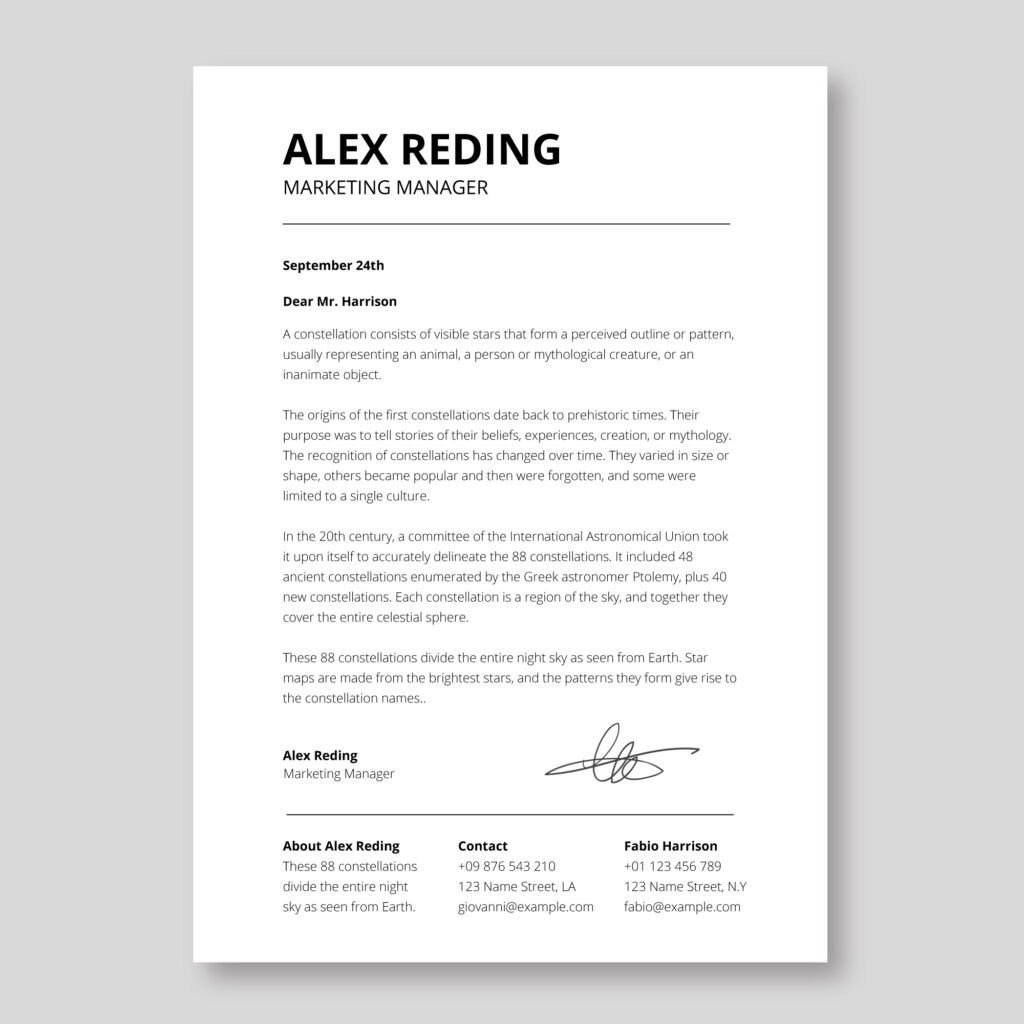
Step 2: Format It

Follow professional business letter structure:

Key Components:

  1. Header/Your Info (optional if using letterhead)
  2. Date
  3. Inside Address (name, title, company, address)
  4. Salutation (“Dear Dr. Patel,” or “Dear Hiring Committee,”)
  5. Body Paragraphs (3–4 paragraphs)
  6. Closing (“Sincerely,” followed by your name)
  7. Signature (typed; insert image signature if sending by PDF/email)
  8. Enclosures (optional; use “Enclosure: Résumé” if appropriate)

Formatting Notes:

  • Use single spacing within paragraphs
  • Use double spacing between paragraphs
  • No paragraph indentation
  • Align all text flush left

Step 3: Start It

Your introductory paragraph sets the tone. It should answer three questions—clearly and efficiently—in three sentences:

Sentence 1: State the position you’re applying for.

Example:
“I am writing to apply for the Marketing Coordinator position at GreenWave Technologies, as posted on your website.”

Sentence 2: Highlight your fit for the role.

Example:
“With three years of digital marketing experience and a strong track record in SEO and content strategy, I believe I can contribute meaningfully to your growth initiatives.”

Sentence 3: Show awareness of the company and shift the focus to them.

Example:
“GreenWave’s focus on sustainable tech solutions aligns with my passion for environmentally responsible innovation, and I’m particularly impressed by your recent SmartGrid rollout.”

Pro Tip: Make this paragraph about the employer’s needs—not just your ambitions.


Step 4: Write It

Your middle paragraphs should expand on your qualifications and demonstrate your value. Think of this as storytelling—backed by facts.

Strategies to Use:

  • Highlight achievements with context and impact.
    Example: “At my current role, I led a rebranding campaign that increased user engagement by 42% over three months.”
  • Be specific. Avoid generic claims.
    Weak: “I’m a team player.”
    Stronger: “I collaborated with cross-functional teams to streamline our onboarding process, cutting average time-to-productivity by 30%.”
  • Reference the résumé without repeating it.
    Expand on a highlight or explain a project’s significance.
  • Use job ad language (keywords/jargon) when relevant.
    Example: “My background in stakeholder engagement and project lifecycle management matches the skills outlined in your job listing.”
  • Name noteworthy details.
    Mention awards, certifications, leadership roles, or major clients.
  • Address gaps or transitions (if needed).
    Example: “Following a year of full-time caregiving, I am excited to re-enter the workforce and bring fresh perspective and renewed focus.”

Step 5: Close It

Your final paragraph should reaffirm your interest, invite further action, and leave the door open for next steps.

Elements to Include:

  • Express enthusiasm again
    Example: “I would be thrilled to bring my experience to the GreenWave team.”
  • Encourage follow-up
    Example: “I would welcome the opportunity to discuss how my background could support your upcoming campaigns.”
  • Include contact info (if not in header)
    Example: “You can reach me at janeroberts@email.com or (555) 123-4567.”
  • Mention any enclosures (portfolio, writing samples, etc.) if applicable
    Example: “Please see my attached résumé and a writing sample from a recent client campaign.”
  • Close professionally
    Use “Sincerely,” “Best regards,” or “Respectfully.”

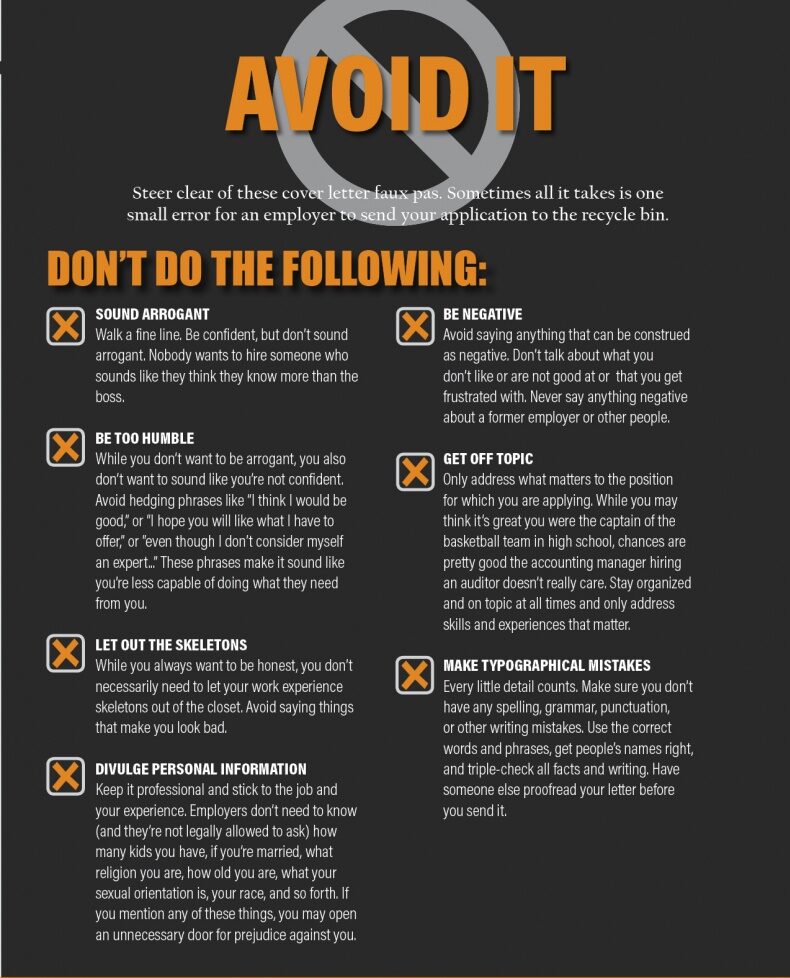
Step 6: Avoid It

Here’s what not to do in your cover letter:

❌ Common Mistakes to Avoid:

  • Sounding arrogant or boastful
    Wrong: “I am the most qualified candidate you will find.”
    Better: “My experience aligns closely with the skills you’re seeking.”
  • Being too humble or apologetic
    Wrong: “I know I may not have all the qualifications you need…”
    Better: “While I bring a unique mix of experience, I’m eager to grow into this role.”
  • Oversharing personal info
    Never include religion, marital status, family details, age, or medical history.
  • Being negative or defensive
    Don’t explain why you left a bad boss or failed a project—save that for interviews, if needed.
  • Getting off topic
    Stay focused on the job, not your life story.
  • Typos or grammar errors
    Proofread, read aloud, or use a proofreading tool like Grammarly.
*Content on this page was curated and edited by expert humans with the creative assistance of AI.

  • facebook
  • instagram
  • linkedin

DON'T MISS ANY SPOT-ON TIPS!

We don't spam! You'll only get emails when we post something awesome.
You can unsubscribe at any time.

Check your inbox or spam folder to confirm your subscription.

©2025 | The Comm Spot | By Newbold Communication & Design