

Skip to content
The Comm Spot The Comm Spot

It's All About Communication

  • HOME
  • ABOUT
    • Meet the Creator: Curtis Newbold, PhD
    • Hire Curtis
    • Publish with Us
    • Contact
    • Privacy Notice
  • COMM-BASICS
    • Glossary
    • Citation & Style Guides
      • AP Style (Journalism)
        • AP Style Overview
        • AP Style Guidelines
        • Media Ethics – SPJ Code of Ethics
        • Elements of Newsworthiness
      • APA Style
        • APA Format – Overview
        • APA - References Guidelines
        • APA - In-text Citations
        • APA - Citing Authors
        • APA - Audiovisual Media
        • APA - Books
        • APA - Digital Sources
        • APA - Events & Interactions
        • APA - Periodicals
        • APA - Print Sources (other than books)
      • Chicago Style
        • Chicago – Overview
        • Chicago - Author-Date System
        • Chicago - Notes-Bibliography System
        • Chicago - In-text Citations
        • Chicago Style - Citing Authors
        • Chicago - Audiovisual Media
        • Chicago - Books
        • Chicago - Digital Sources
        • Chicago - Events and Interactions
        • Chicago - Citing Periodicals
        • Chicago - Print Sources (other than books)
      • MLA Style
        • MLA Overview
        • MLA Works Cited Pages
        • MLA In-text Citations
        • MLA – Authors
        • MLA – Audiovisual Media
        • MLA – Books
        • MLA – Digital Sources
        • MLA – Events & Interactions
        • MLA – Periodicals
        • MLA – Print Sources (other than books)
    • Rhetoric
      • Overview of Rhetoric
      • Rhetorical Appeals (Rhetorical Triangle)
      • Branches of Oratory
      • Canons of Rhetoric
      • Rhetorical Devices
      • Kairos
      • Topos
      • Key Figures in Rhetoric
    • Research Methods
      • Case Studies
      • Competitor Analysis
      • Content Analysis
      • Discourse Analysis
      • Ethnography
      • Focus Groups
      • Observation Research
      • S.W.O.T. Analysis
      • Secondary Research
      • Surveys
      • Target Market Analysis
      • Usability Testing
      • Visual Analysis
    • Theories
    • Thinkers
  • COMM-SUBJECTS
    • Interpersonal Communication
      • Active Listening
      • Body Language
      • Conflict Management
      • Emotional Intelligence
        • Emotional Intelligence Overview
        • Self-Awareness
        • Self-Regulation
        • Motivation
        • Empathy
        • Social Skills
        • Emotional Intelligence Resources
      • Feedback
      • Negotiation
        • Overview of Negotiation
        • Negotiation Skills
        • Negotiation Strategies & Techniques
        • Stages of Negotiation
        • Common Negotiation Scenarios
        • Negotiation Case Studies & Examples
        • Negotiation Tools & Resources
        • Negotiation FAQ
    • Journalism
    • Public Speaking
      • General Guidelines
      • Overcoming Fear
      • Speech Writing and Organization
      • Delivery Techniques
      • Body Language
      • Audience Engagement
      • Storytelling
      • Designing Slides
      • P.O.W.E.R.F.U.L. Presentation Method
    • Strategic Communication
      • Business & Org Comm
        • Definition & History
        • Org Comm Theories
        • Business Documents
        • Change Management
        • Employee Relations
        • Employment Communication
        • Group & Team Communication
        • Leadership Communication
        • Power, Identity, & Ethics at Work
        • Project Management
      • Integrated Marketing Comm
        • Definition of IMC
        • Core Principles of IMC
        • IMC Planning
        • Audience Segmentation
        • Marketing Channels
        • Message Strategies
        • Campaign Measurement & Evaluation
        • Trends & Innovations in IMC
        • Challenges & Pitfalls in IMC
        • Careers & Roles in IMC
      • Public Relations
        • Foundations in PR
        • Strategic Practice
        • Tools & Tactics
        • Research & Analysis
        • Professional Development
      • Case Studies in Strat Comm
    • Technical & Scientific Communication
    • Visual Communication
      • Data Visualization
      • Information Design
      • Photography
      • Web Design
    • Written Communication
      • Writing Process
      • Organizational Methods
        • Five Paragraph Essay
        • Hourglass Method of Writing
        • IMRaD Format (Science)
        • Indirect Method (Bad News)
        • Inverted Pyramid (Journalism)
        • Martini Glass
        • Narrative Format
        • Proposal Format
        • Rogerian Method
        • Toulmin Method
      • Plain Language
        • Audience (Plain Language)
        • Organization (Plain Language)
        • Conversation (Plain Language)
        • Simplicity (Plain Language)
        • Word Choice (Plain Language)
        • Sentence Structure (Plain Language)
        • Design (Plain Language)
      • Punctuation
        • Apostrophes
        • Brackets
        • Colons
        • Commas
        • Ellipses
        • Em Dashes
        • En Dashes
        • Exclamation Marks
        • Hyphens
        • Parentheses
        • Periods
        • Question Marks
        • Quotation Marks
        • Semicolons
      • Style
        • Clarity
        • Conciseness
        • Consistency
        • Editing
        • Flow
        • Rhetorical Devices
        • Sentence Structure
        • Storytelling
        • Tone
        • Voice
        • Word Choice
  • RESOURCES
    • Teaching Resources
      • Assignments & Activities
      • Instructional Design
      • Pedagogies
  • BLOGS
    • The Spotlight Blog
    • Comm Sparks
  • SHOP
    • Cart
    • Checkout
0
The Comm Spot
The Comm Spot

It's All About Communication

Designing Slides for Presentations

Home >COMM-Subjects >Public Speaking >Designing Slides for Presentations

Effective slide design can significantly enhance the impact of your presentation. Well-designed slides help clarify your message, engage your audience, and support your storytelling. Read below for a step-by-step process for designing high-impact presentation slides.


Step 1: Empathize with Your Audience
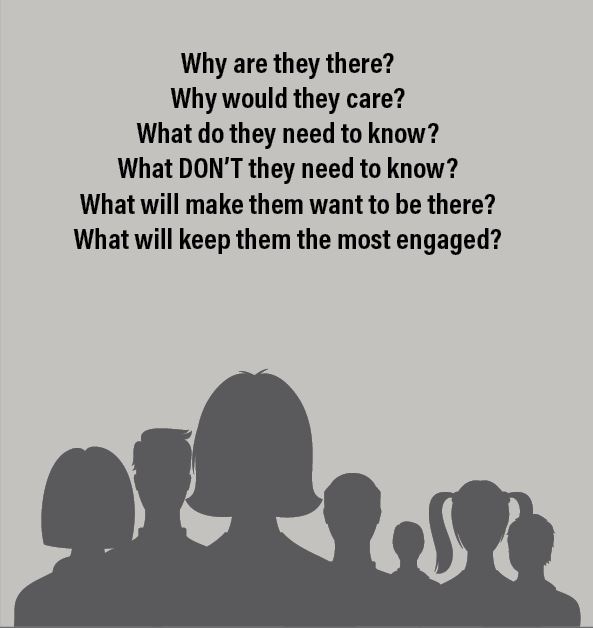
Understand your audience’s needs, interests, and expectations to design slides that resonate with them.

Consider the Following:

  1. Identify your audience’s demographics and knowledge level.
  2. Determine what problems or questions they want answered.
  3. Tailor your tone, visuals, and content complexity to their preferences.
  4. Incorporate examples and stories that are relatable to them.

Step 2: Stick to Your Branding
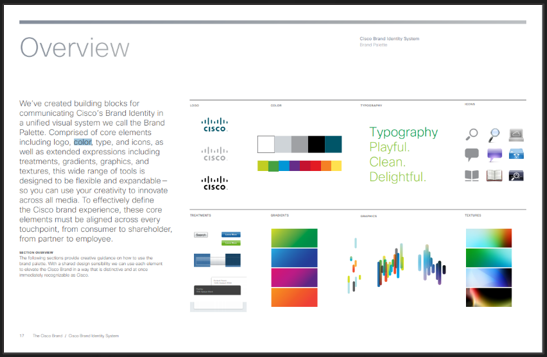
Maintain consistent brand identity across all slides to strengthen recognition and professionalism.

Steps:

  1. Use your organization’s official logo, colors, and fonts.
  2. Apply brand-aligned imagery and icons.
  3. Incorporate consistent graphic styles and tone.
  4. Follow your brand’s design guidelines or templates.

Step 3: Narrow Your Colors

Limit your color palette to create a clean, cohesive design that enhances readability.

Steps:

  1. Choose 2-3 primary colors that align with your brand or topic.
  2. Use contrasting colors for text and backgrounds.
  3. Apply accent colors sparingly to highlight key information.
  4. Ensure color combinations are accessible for all viewers.

Step 4: Choose Effective Fonts

Select fonts that are clear, legible, and consistent throughout the presentation.
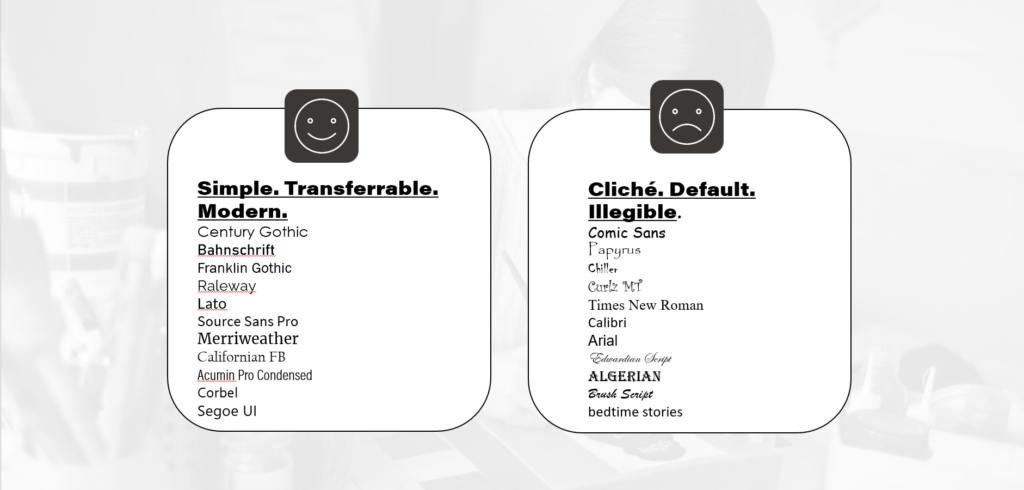
Steps:

  1. Use sans-serif fonts for body text (e.g., Arial, Calibri).
  2. Pair fonts wisely—one for headings and one for body text.
  3. Maintain consistent font sizes (e.g., 32pt for titles, 24pt for text).
  4. Avoid using more than two font styles.

Step 5: Divide Slides into Types

Organize your content with different slide types to create structure and flow.
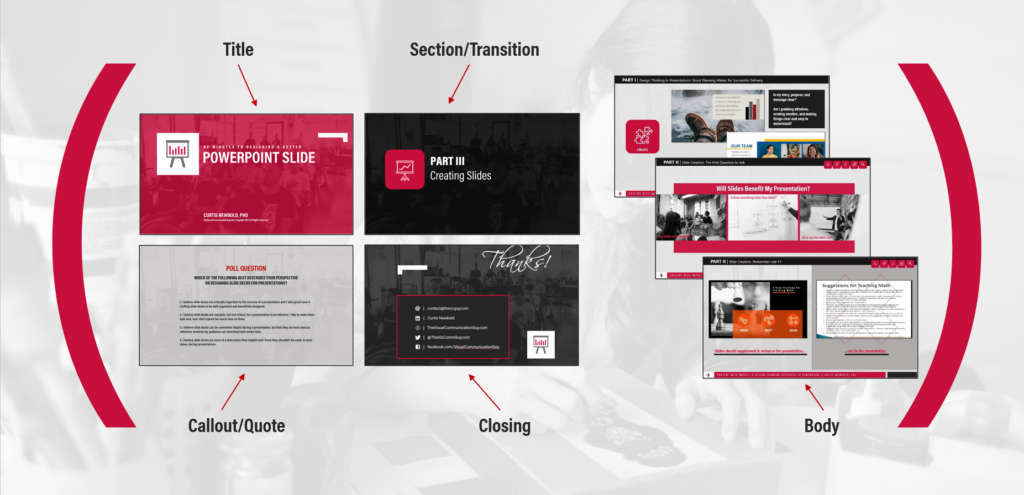
Slide Types:

  • Title Slide: Introduces the presentation topic and speaker.
  • Section Slide: Signals a new section or topic.
  • Body Slide: Shares main content with text, images, or charts.
  • Callout Slide: Highlights key points or quotes.
  • Closing Slide: Summarizes key takeaways and next steps.

Steps:

  1. Design templates for each slide type.
  2. Use consistent layouts for similar content.
  3. Transition smoothly between sections.

Step 6: Visualize Content

Use visuals to simplify complex ideas and engage your audience.
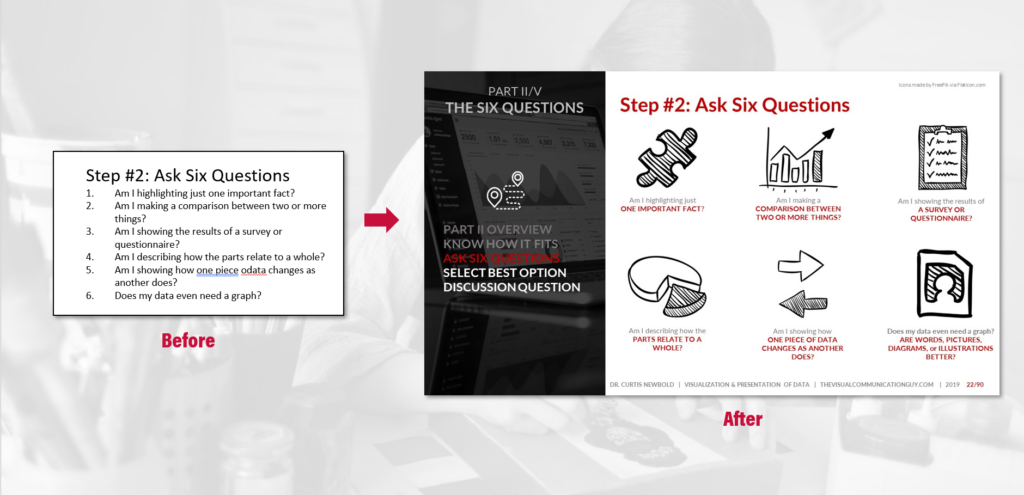
Steps:

  1. Replace text with icons, images, or diagrams where possible.
  2. Use charts and graphs to present data clearly.
  3. Apply infographics to break down processes or concepts.
  4. Avoid overcrowding slides with visuals.

Step 7: Play with Layouts

Experiment with different slide layouts to emphasize important points and maintain interest.
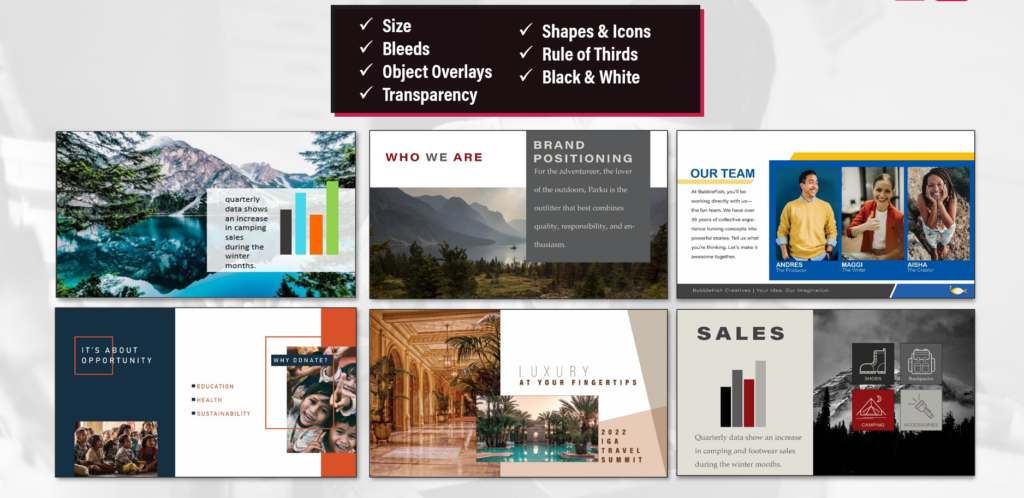
Steps:

  1. Alternate between text-heavy and image-focused slides.
  2. Use asymmetry to create visual interest.
  3. Apply grids and alignment tools for balance.
  4. Reserve whitespace to improve focus and readability.

Step 8: Orient Your Audience

Guide your audience through the presentation with visual cues and navigational aids.
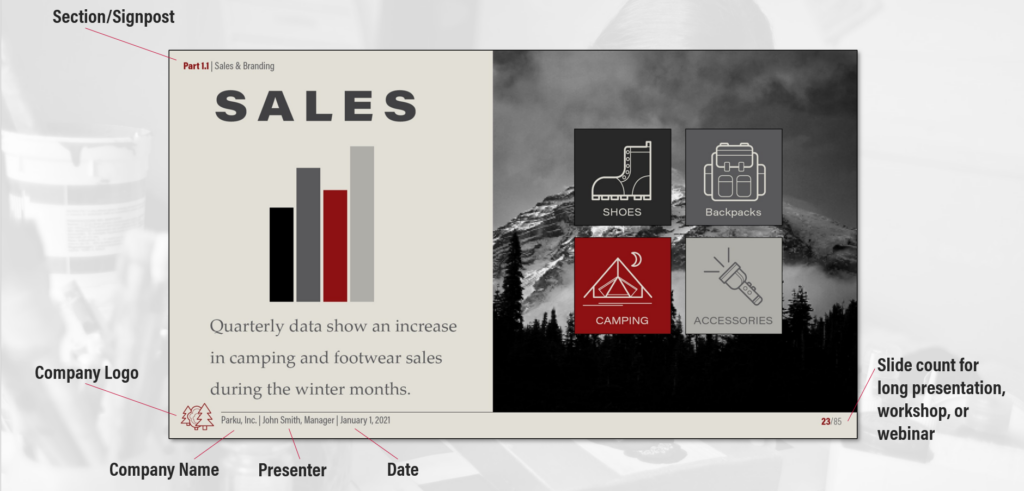
Steps:

  1. Add visual signposts (icons, section markers) to indicate progress.
  2. Use headers and footers for context (e.g., section names, slide numbers).
  3. Include subtle transitions to signal topic shifts.
  4. Summarize key points periodically to reinforce understanding.

*Content on this page was curated and edited by expert humans with the creative assistance of AI.

  • facebook
  • instagram
  • linkedin

DON'T MISS ANY SPOT-ON TIPS!

We don't spam! You'll only get emails when we post something awesome.
You can unsubscribe at any time.

Check your inbox or spam folder to confirm your subscription.

©2025 | The Comm Spot | By Newbold Communication & Design