

Effective slide design can significantly enhance the impact of your presentation. Well-designed slides help clarify your message, engage your audience, and support your storytelling. Read below for a step-by-step process for designing high-impact presentation slides.
Step 1: Empathize with Your Audience
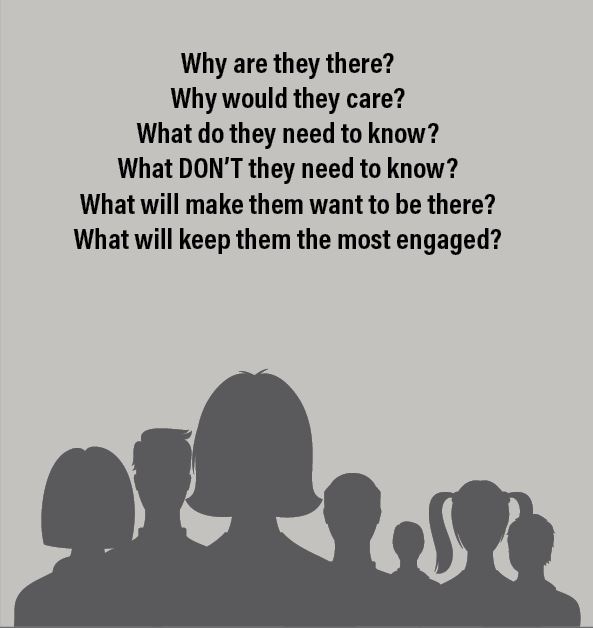
Understand your audience’s needs, interests, and expectations to design slides that resonate with them.
Consider the Following:
- Identify your audience’s demographics and knowledge level.
- Determine what problems or questions they want answered.
- Tailor your tone, visuals, and content complexity to their preferences.
- Incorporate examples and stories that are relatable to them.
Step 2: Stick to Your Branding
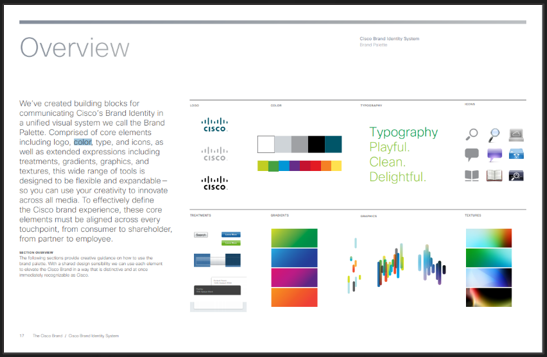
Maintain consistent brand identity across all slides to strengthen recognition and professionalism.
Steps:
- Use your organization’s official logo, colors, and fonts.
- Apply brand-aligned imagery and icons.
- Incorporate consistent graphic styles and tone.
- Follow your brand’s design guidelines or templates.
Step 3: Narrow Your Colors

Limit your color palette to create a clean, cohesive design that enhances readability.
Steps:
- Choose 2-3 primary colors that align with your brand or topic.
- Use contrasting colors for text and backgrounds.
- Apply accent colors sparingly to highlight key information.
- Ensure color combinations are accessible for all viewers.
Step 4: Choose Effective Fonts
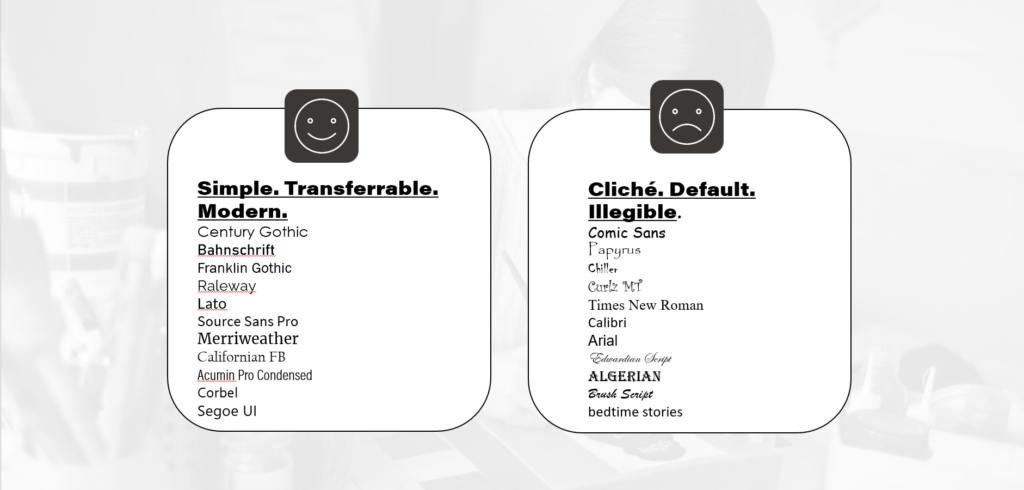
Select fonts that are clear, legible, and consistent throughout the presentation.
Steps:
- Use sans-serif fonts for body text (e.g., Arial, Calibri).
- Pair fonts wisely—one for headings and one for body text.
- Maintain consistent font sizes (e.g., 32pt for titles, 24pt for text).
- Avoid using more than two font styles.
Step 5: Divide Slides into Types
Organize your content with different slide types to create structure and flow.
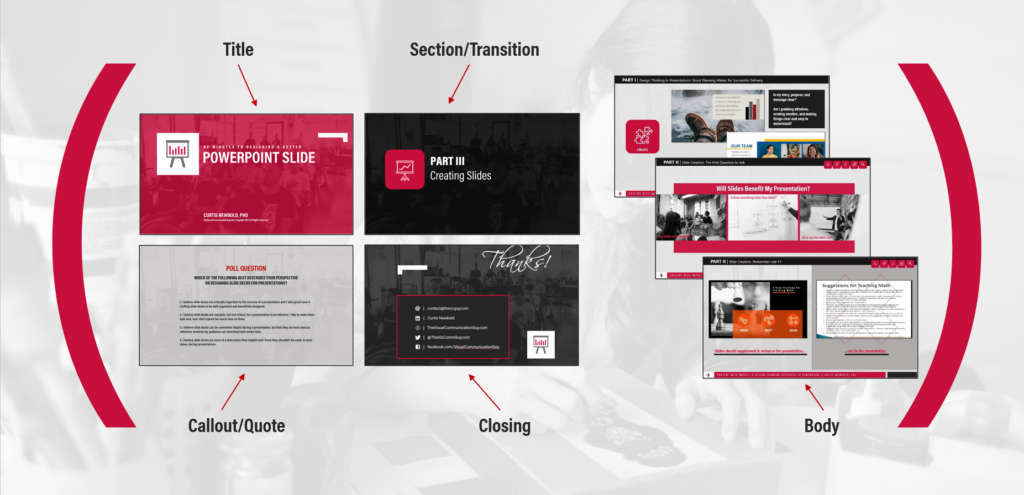
Slide Types:
- Title Slide: Introduces the presentation topic and speaker.
- Section Slide: Signals a new section or topic.
- Body Slide: Shares main content with text, images, or charts.
- Callout Slide: Highlights key points or quotes.
- Closing Slide: Summarizes key takeaways and next steps.
Steps:
- Design templates for each slide type.
- Use consistent layouts for similar content.
- Transition smoothly between sections.
Step 6: Visualize Content
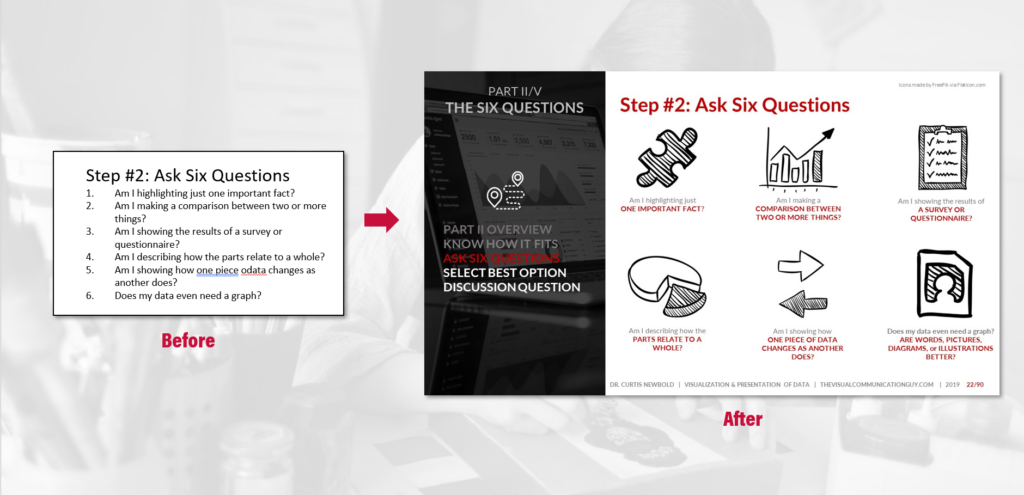
Use visuals to simplify complex ideas and engage your audience.
Steps:
- Replace text with icons, images, or diagrams where possible.
- Use charts and graphs to present data clearly.
- Apply infographics to break down processes or concepts.
- Avoid overcrowding slides with visuals.
Step 7: Play with Layouts
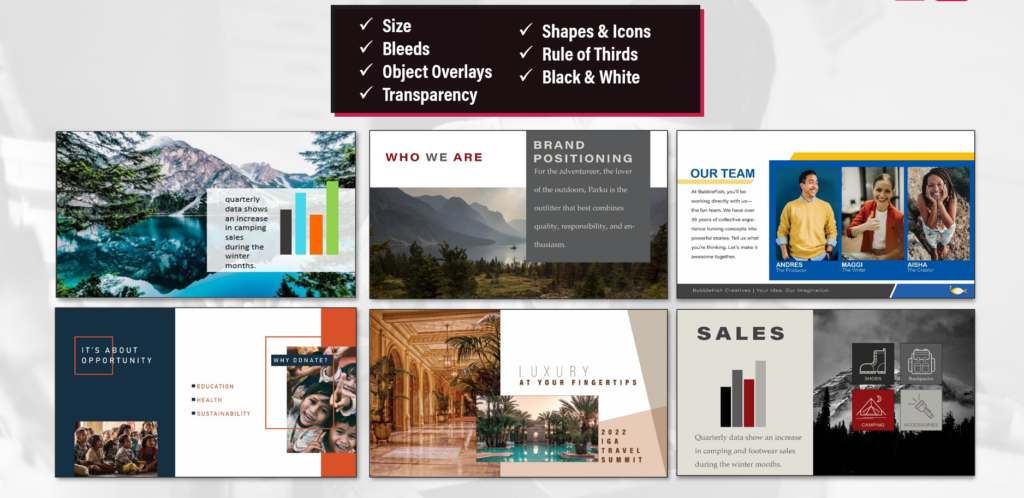
Experiment with different slide layouts to emphasize important points and maintain interest.
Steps:
- Alternate between text-heavy and image-focused slides.
- Use asymmetry to create visual interest.
- Apply grids and alignment tools for balance.
- Reserve whitespace to improve focus and readability.
Step 8: Orient Your Audience
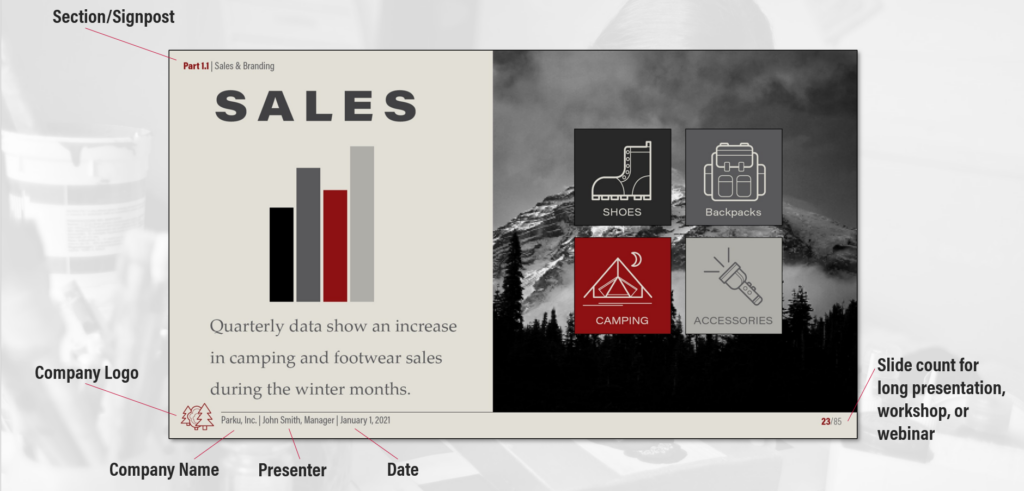
Guide your audience through the presentation with visual cues and navigational aids.
Steps:
- Add visual signposts (icons, section markers) to indicate progress.
- Use headers and footers for context (e.g., section names, slide numbers).
- Include subtle transitions to signal topic shifts.
- Summarize key points periodically to reinforce understanding.
*Content on this page was curated and edited by expert humans with the creative assistance of AI.