
The American Psychological Association (APA) style guide provides a structured framework for formatting research papers and other formal documents in the social and behavioral sciences. Understanding and applying APA format ensures clarity, consistency, and proper source attribution, making your work more professional and reader-friendly.
When to Use APA Format
Use APA format when writing documents for social science disciplines such as business, communication, psychology, social science, biology, and health science. Use APA format when required by your company, publishing organization, or your instructor. Note that the guidelines below have been standardized by the American Psychological Association but they may be modified according to an organization’s specific rules.
APA General Formatting Guidelines
- Font: Use a standard, easy-to-read typeface like Times New Roman or Calibri in size 12.
- Spacing: Double-space your entire document, including the title page and reference list.
- Margins: Establish uniform margins of one inch on all sides of your paper.
- Indentation: Indent the first sentence of each paragraph by half an inch.
- Alignment: Maintain left alignment for all text (excluding the title page).
- Page Numbering: Initiate page numbering in the top right corner, beginning on the second page (title page remains unnumbered).
Title Page
The title page serves as the introductory element of your paper, providing a concise overview of your work. Title pages generally include the following elements:
- Title: Construct a clear and succinct title that accurately reflects your paper’s central theme.
- Author Information: Include your full name (first, middle initial, last).
- Institutional Affiliation: List your school’s name.
- Course Identification: Specify the course title and your instructor’s name, if applicable.
- Due Date: Include the date of completion, when needed
- Author Note: Include additional details such as grant/funding information as needed
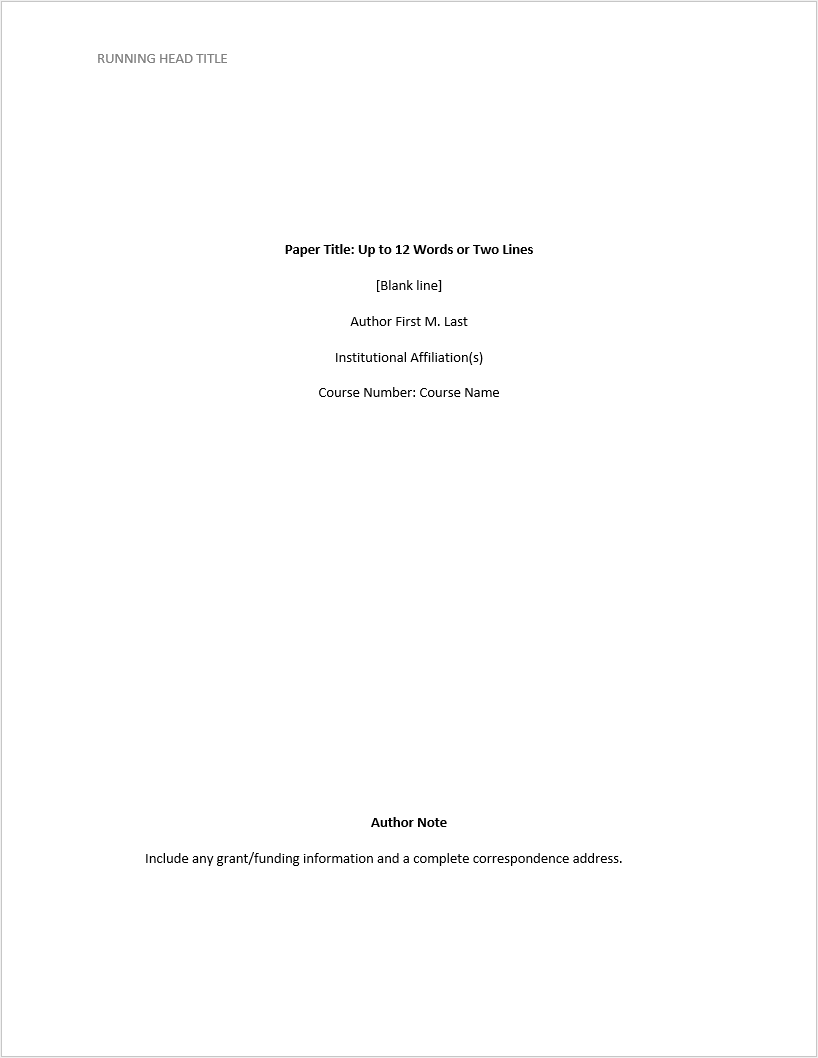
Table of Contents (Optional)
APA format does not require a table of contents, but it can be helpful for longer research papers. If you choose to include one, consider the following:
- Placement: Insert the table of contents after the abstract (if included) and before the introduction section.
- Heading: Center and bold the word “Contents” at the top of the page.
- Formatting:
- Use the same font and size as the rest of your paper (usually 12 pt Times New Roman).
- Left-align all text entries.
- Apply indentation for subheadings within sections (use the same indentation level as in your paper).
- Content:
- Include all level 1 (bold) and level 2 (bold and italic) headings from your paper.
- You can include level 3 headings for very long papers, but avoid cluttering the table of contents with too many entries.
- If your paper is particularly lengthy and complex, consider including even lower-level headings, but keep the table of contents concise (ideally no more than two pages long).
- Page Numbers: Include the corresponding page numbers for each section, right-aligned in the table of contents.
- Automatic Generation: Most word processing programs offer an automatic table of contents function. If you use this feature, ensure it is set up according to APA guidelines (typically using heading styles).
Remember:
- Double-check with your instructor or institution for any specific requirements regarding the table of contents.
- A table of contents should enhance, not overwhelm, the reader’s experience. Aim for clarity and conciseness.
Abstract (Optional)
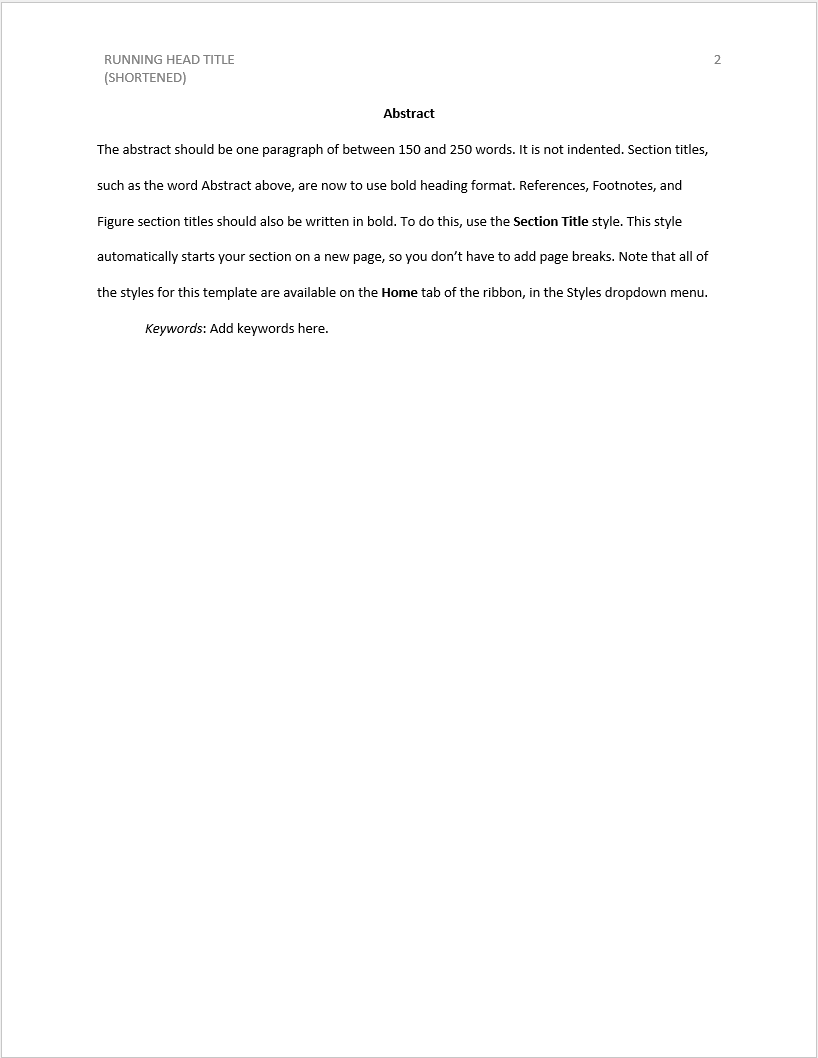
The abstract provides a concise summary (typically 150-250 words) encompassing your paper’s core arguments, methodologies, results, and conclusion. Use the following guidelines for formatting the abstract:
- Placement: The abstract comes after the title page and before the introduction section, usually on a separate page.
- Heading: Center and bold the word “Abstract” at the top of the page.
- Spacing: Double-space the entire abstract.
- Indentation: The abstract is typically written in a single block of text without indentation.
- Font: Use the same font and size as the rest of your paper (usually 12 pt Times New Roman).
- Length: Aim for a concise summary, typically between 150-250 words.
Content Pages & Headings
Follow the general rules for formatting pages and headings in APA format:
Page Formatting
- Paper Size: Use standard letter-sized paper (8.5 inches x 11 inches).
- Margins: Set all margins to 1 inch on all sides (top, bottom, left, and right).
- Line Spacing: Double-space your entire paper, including the title page, abstract (if included), reference list, and in-text citations.
- Font: Use a standard, easy-to-read typeface like Times New Roman or Calibri in size 12 pt.
- Alignment: Maintain left alignment for all text (excluding the title page, which has specific formatting).
- Page Numbering: Begin page numbering in the top right corner of the second page (title page is not numbered). Use Arabic numerals (1, 2, 3, etc.).
Heading Formatting
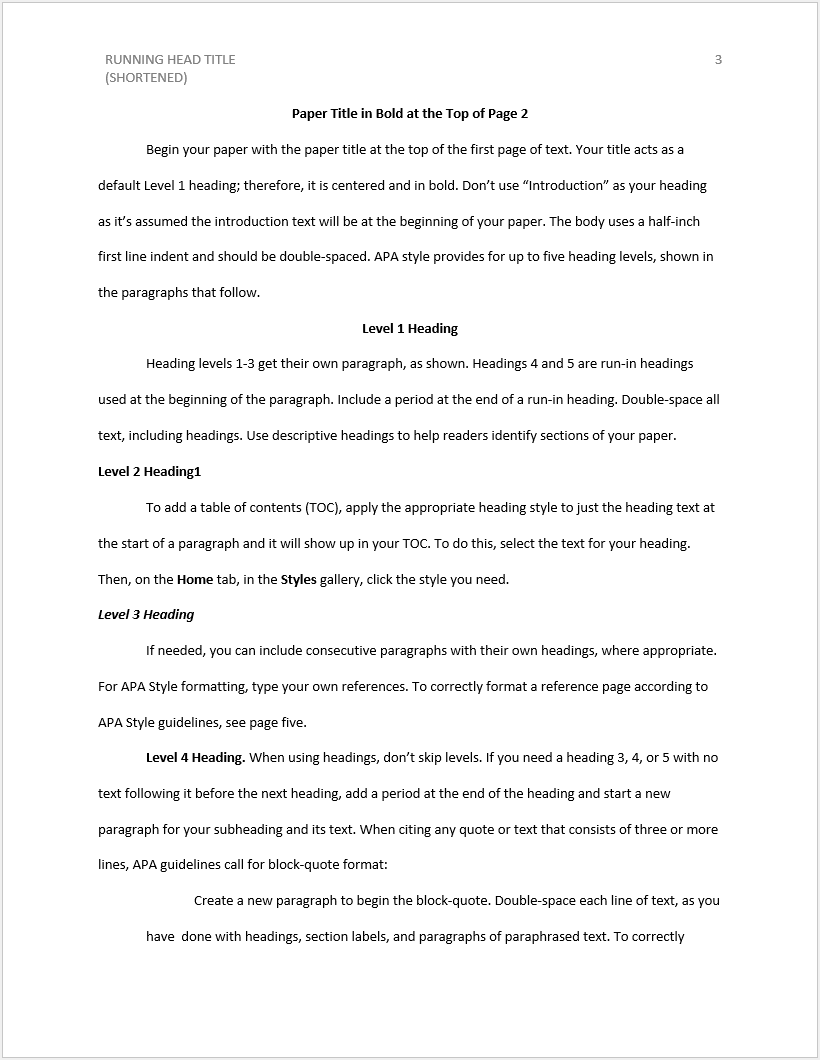
- Levels: APA uses a five-level heading system, with Level 1 being the highest level heading and Level 5 the most specific.
- Numbering and Lettering: Do not use numbers or letters to identify headings.
- Bold and Italicization: Apply specific formatting based on heading level:
- Level 1: Center-aligned, bold, and upper/lower case (Title Case) with a period at the end. Text begins on a new line after the heading. (e.g., Introduction).
- Level 2: Left-aligned, bold and italicized, with Title Case and a period at the end. Text begins on a new line after the heading. (e.g., Literature Review).
- Level 3: Left-aligned, bold, italicized with indented text starting on the same line after a colon. (e.g., Previous Research on Social Media).
- Level 4: Left-aligned, italicized with indented text starting on the same line after a colon. (e.g., The Impact on Body Image).
- Level 5: Left-aligned, italicized with boldface introductory phrase and indented text starting on the same line after a colon. (e.g., This study found that…).
- Spacing: Double-space before and after each heading (except Level 1 which only has double spacing after).
Some additional tips for formatting pages and headings in APA format
- Use the built-in heading styles: Most word processing programs have built-in heading styles for APA format. Utilize these styles to ensure proper formatting and easier navigation through your document.
- Maintain consistency: Use the same heading levels and formatting consistently throughout your paper.
- Avoid single level headings: Don’t have a single subheading under a major heading. If you only need one subheading, consider using a paragraph format instead of a heading.
Reference List
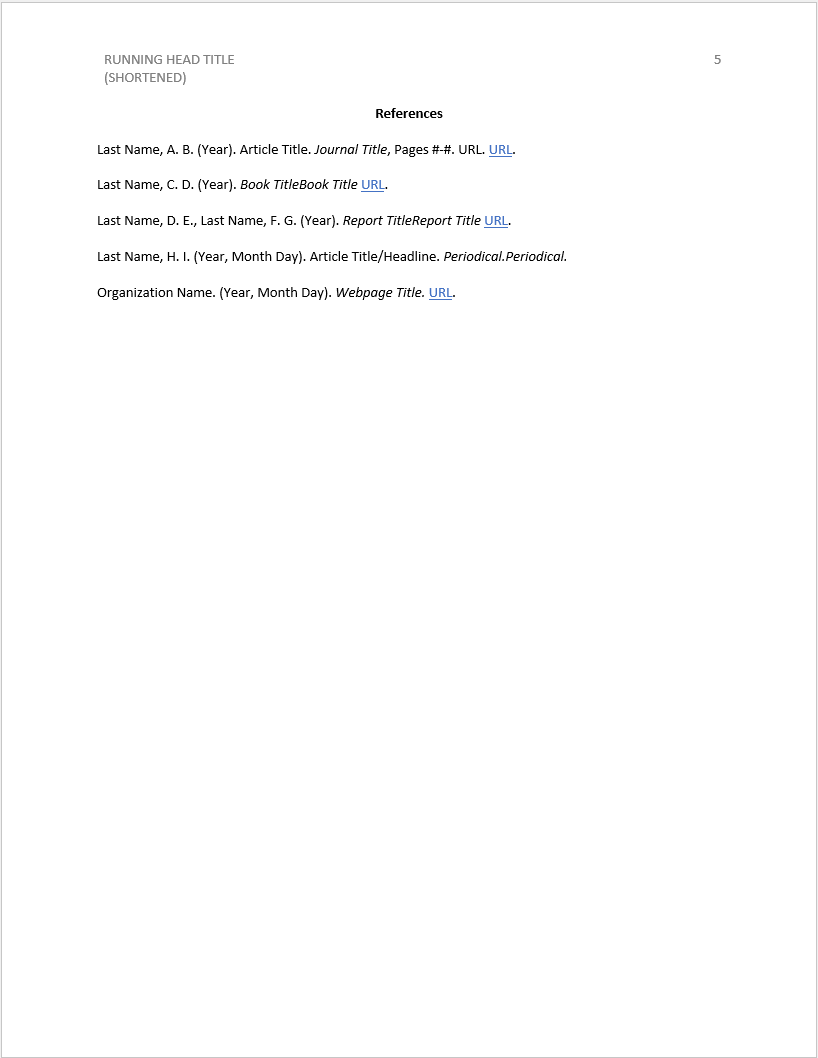
The reference list documents all sources utilized in your paper. Each reference should adhere to specific APA formatting guidelines, which vary depending on the source type (book, website, journal article, etc.). Check out the resources in this section of the website for proper reference formatting for specific document types.
- Placement: The reference list starts on a new page following the body of your paper.
- Heading: Center and bold the word “References” at the top of the page.
- Spacing: Double-space all entries throughout the reference list.
- Alphabetical Order: Arrange all references in alphabetical order by the last name of the first author. If the first author is an organization, alphabetize by the first word of the organization’s name (excluding articles like “A” or “The”).
- Hanging Indentation: Use a hanging indent for each reference. This means the first line of each entry is flush with the left margin, and all subsequent lines are indented half an inch.
- Font: Use the same font and size as the rest of your paper (usually 12 pt Times New Roman).
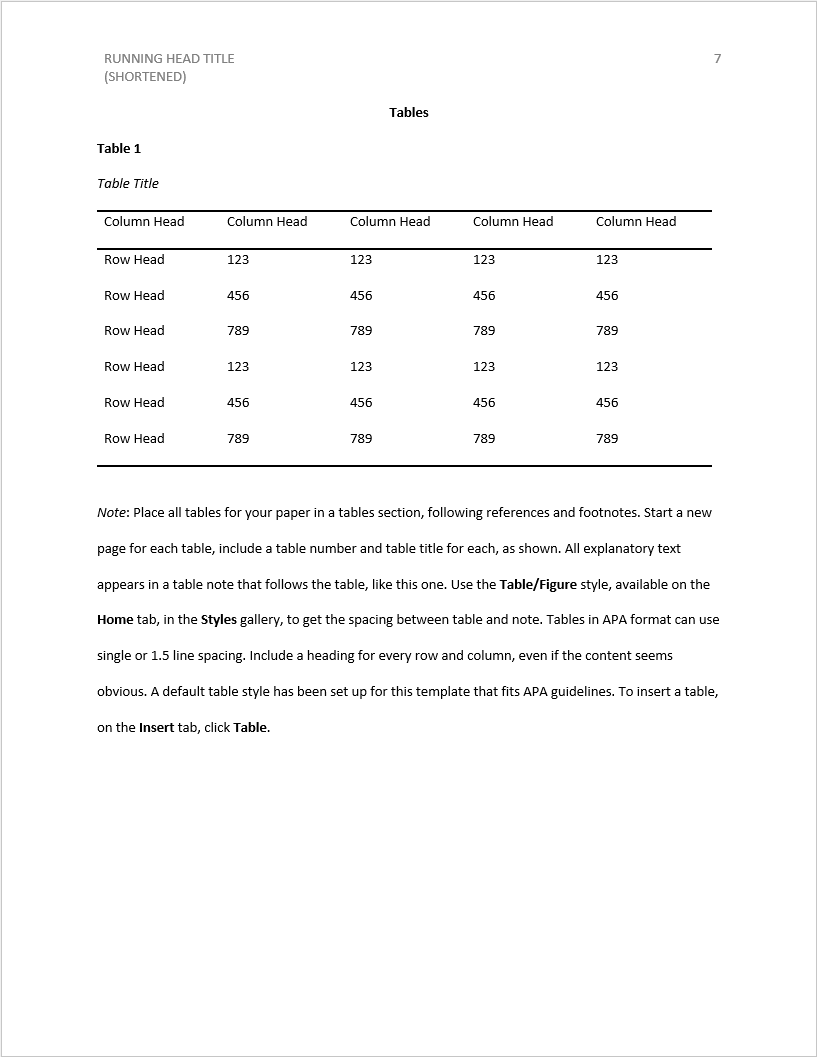
Tables
Placement: Tables can be placed within the text of your paper near where they are first discussed, or on a separate page after the References list.
Numbering and Titling:
- Numbering: Assign each table a unique sequential number (e.g., Table 1, Table 2).
- Title: Include a clear and concise title above the table that summarizes its content.
- Bold and Italicize: Format the title in bold and italic font.
- Placement: Center the title one double-spaced line above the table body.
- Capitalization: Use Title Case for the title (capitalize the first word of each main word).
Table Body:
- Headings: Include clear and concise headings for each column and row of the table.
- Bold: Format headings in bold font.
- Alignment: Align column headings to the left and row headings to the top (depending on the content).
- Borders: Use horizontal lines to separate the table header from the body and the body from the bottom of the table. You may also use vertical lines to separate columns, but avoid excessive use of borders within the table for clarity.
- Font: Use the same font and size as the rest of your paper (usually 12 pt Times New Roman).
- Spacing: Single-space the table body for readability, but you can add extra space between sections of the table for clarity.
- Alignment: Align table entries according to their data type (numbers to the right, text to the left).
Notes (Optional):
- Include explanatory notes below the table body if needed. Use a superscript Arabic numeral (e.g., ¹) within the table cell to reference the corresponding note.
- Spacing: Double-space the notes section after the table body.
- Font: Use the same font and size as the rest of your paper for the notes.
Some additional tips for formatting tables in APA format:
- Keep it simple: Tables should be easy to understand and visually appealing. Avoid cluttering them with unnecessary information.
- Label complex data: If your table includes abbreviations or symbols, include a key at the bottom to explain their meaning.
- Focus on clarity: Ensure the table effectively communicates the information it presents.
Figures
Here are the general rules for formatting figures in APA format:
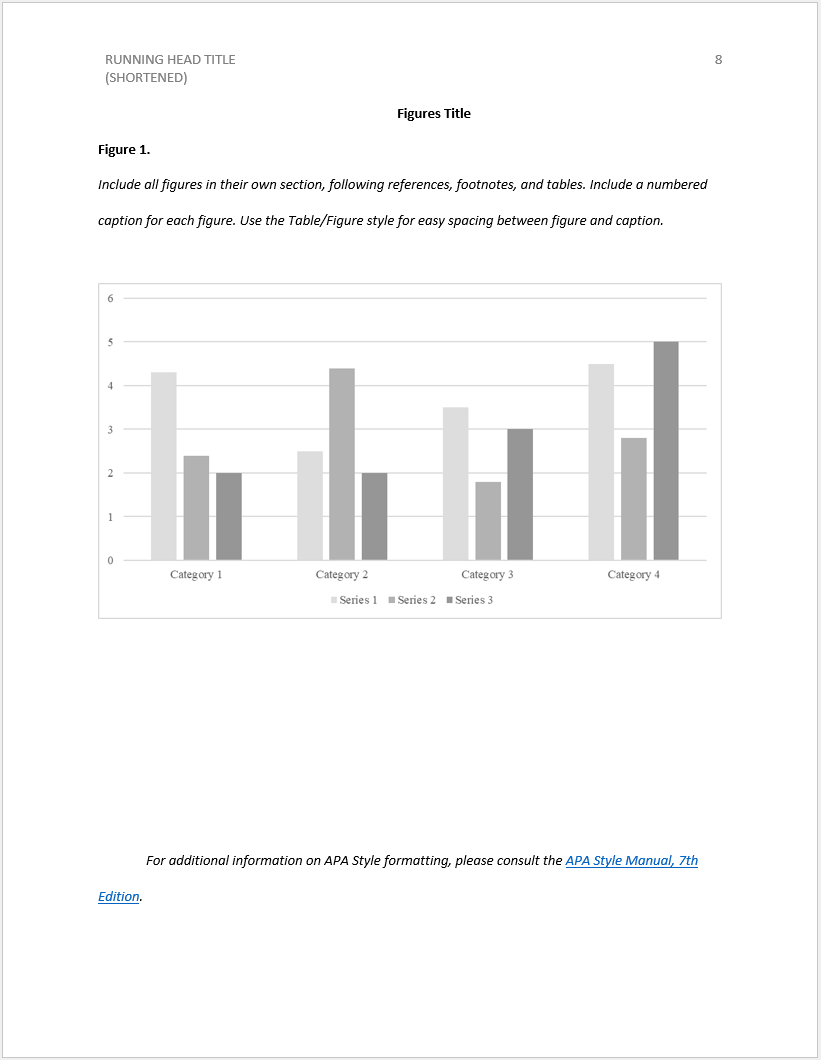
Placement: Figures (charts, graphs, images, etc.) can be placed within the text of your paper near where they are first discussed, or on a separate page after the References list.
Numbering and Captioning:
- Numbering: Assign each figure a unique sequential number (e.g., Figure 1, Figure 2).
- Caption: Include a clear and concise caption below the figure that explains its content.
- Bold and Italicize: Format the caption in bold and italic font.
- Placement: Center the caption one double-spaced line below the figure.
- Capitalization: Use Sentence Case for the caption (capitalize the first word and any proper nouns).
- Labels: Ensure the figure itself includes clear labels for all axes, data points, and other relevant elements.
Formatting:
- Font: Use a font size that is readable when the figure is reduced in size for printing.
- Color: Color can be used effectively in figures, but ensure the figure remains clear and interpretable in black and white for accessibility purposes.
- Line Thickness and Shading: Use line thickness and shading strategically to improve clarity and distinguish between data sets.
Notes (Optional):
- Include explanatory notes below the caption if needed. Use a superscript Arabic numeral (e.g., ¹) within the figure to reference the corresponding note.
- Spacing: Double-space the notes section after the caption.
- Font: Use the same font and size as the rest of your paper for the notes.
Here are some additional tips for formatting figures in APA format:
- Maintain a professional appearance: Ensure the figure is of high quality and free of clutter or extraneous elements.
- Focus on clarity: The figure should effectively communicate the information it presents without relying solely on the caption for explanation.
- Consider your audience: Use visuals that are appropriate for your intended audience and the complexity of the data.
Remember
While this guide provides the common and general rules for formatting documents in APA format, be sure to consult with your instructor or institution for any specific formatting requirements related to your project. They may have additional details you need to follow.
*Content on this page was curated and edited by expert humans with the creative assistance of AI.